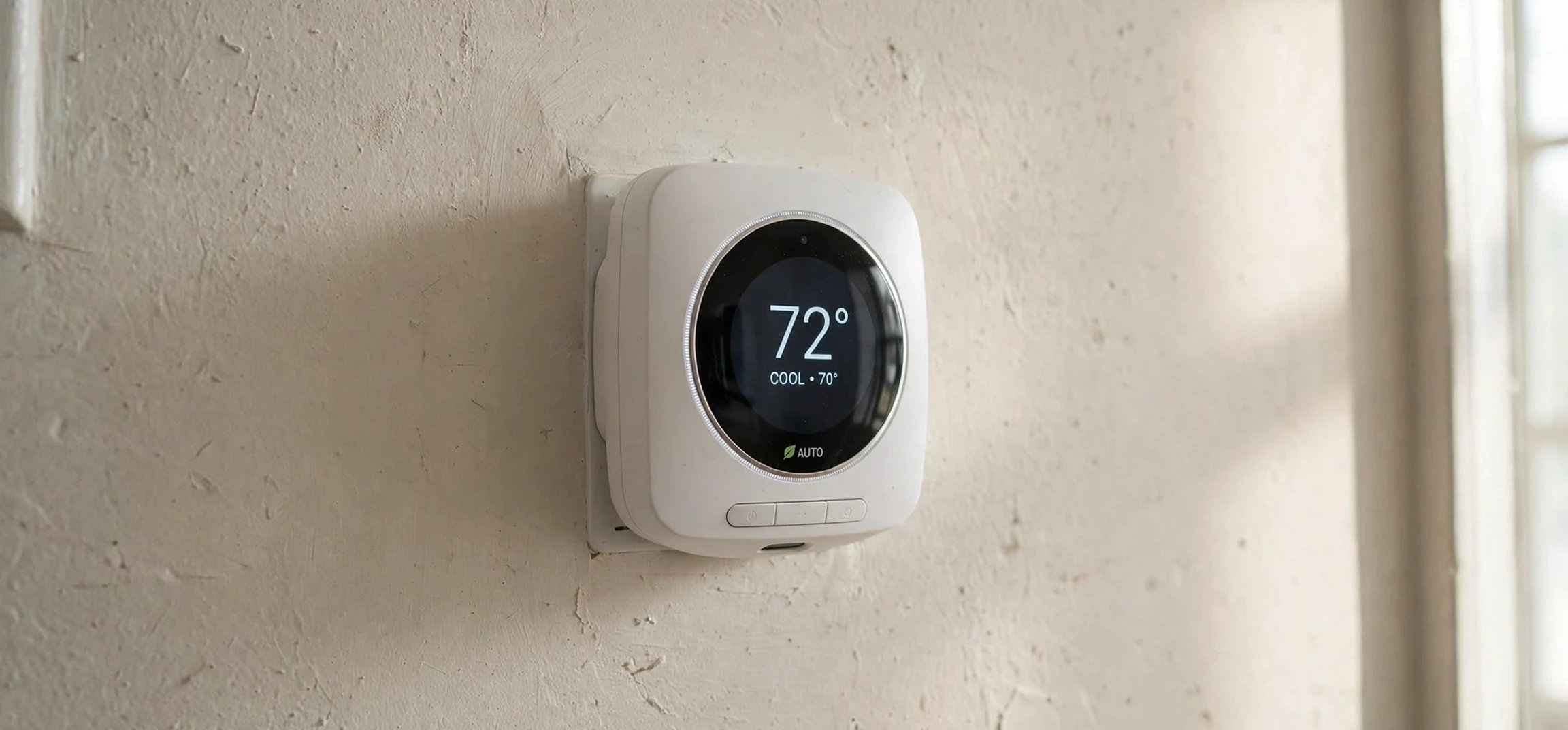
Learning how to use the honeywell thermostat in your own home is easier than it first looks, even if the display, buttons, and menus seem unfamiliar at first glance. A Honeywell thermostat controls your heating and cooling system, helps you set comfortable temperatures, and can save energy by adjusting the temperature when you are asleep or away. This guide explains how to use the honeywell thermostat in general terms: what the main controls do, how to set temperatures and schedules, how to use common modes and features, and how to troubleshoot everyday issues safely.
This guide covers your own device in your own home, and it describes general features found across many Honeywell models. Specific models differ in their displays, button layouts, menus, and app features, so this article does not make model-specific claims stated as current fact for every device. For exact steps on your particular model, check the user manual supplied with your thermostat or the official manufacturer guidance for that model. The general principles here will help you understand that manual more quickly, and will help you use the common features with confidence.
A thermostat is not the same as a heater or an air conditioner. It is the control that tells your heating or cooling system when to run and when to stop, based on the temperature you set and the temperature it measures in the room. Understanding that distinction helps you use it well. Turning the temperature far up does not make a room heat faster, just as turning it far down does not make a room cool faster. The system heats or cools at its normal rate until it reaches the set temperature, then it cycles to maintain it. Setting a sensible target and letting the system work is usually the most comfortable and energy-efficient approach.
How to Use the Honeywell Thermostat: The Basics
The first step in learning how to use the honeywell thermostat is to identify the main controls on your device. Most models have a display showing the current room temperature, the set temperature, and the current mode, such as heat, cool, or off. Many have buttons or a touchscreen for raising and lowering the temperature, changing the mode, and switching the fan between automatic and continuous operation. Some models also have a menu button that opens settings for schedules, preferences, and system options. Spend a few minutes exploring the display without changing system settings, so you become familiar with what each symbol means on your model.
To change the temperature manually, select the mode you want, such as heat in winter or cool in summer, and then raise or lower the set temperature to your desired level. The display will usually show both the current temperature and the new set temperature, and the system will start when the room temperature moves away from the set point by enough to trigger it. Give the system time to respond. A short delay before heating or cooling begins is normal, and it protects the equipment from rapid cycling. If nothing happens after several minutes, check that the mode is correct, that the set temperature is on the correct side of the room temperature, and that the system power is on.
The fan setting is another basic control worth understanding. In automatic mode, the fan runs only when heating or cooling is running. In continuous or “on” mode, the fan runs all the time, circulating air even when the system is not actively heating or cooling. Continuous fan operation can improve air circulation and even out temperatures between rooms, but it uses more electricity. Automatic mode is usually the energy-efficient default, while continuous mode is useful when you want steadier air movement or when you are filtering indoor air. Choose the setting that matches your comfort and energy priorities.
Modes matter for seasonal changes. “Heat” runs the heating system, “cool” runs the cooling system, “off” stops both, and “auto” on some models switches between heating and cooling as needed to maintain a range. If your system has both heating and cooling, auto mode can be convenient in spring and autumn, when mornings are cool and afternoons are warm. Check your manual for how auto mode works on your model, since the temperature range and switching behaviour can differ. When in doubt, setting heat or cool manually for the season is a simple and reliable approach.
How to Use the Honeywell Thermostat Schedules and Programmes
Schedules are where a thermostat earns its keep. Instead of setting the temperature manually several times a day, you can programme different temperatures for different times: a comfortable temperature in the morning, a lower or higher temperature while you are out, a comfortable temperature in the evening, and a sleep temperature overnight. This pattern matches your routine, keeps you comfortable when you are home, and avoids heating or cooling an empty house to full comfort levels. Over weeks and months, a well-set schedule can reduce energy use noticeably without reducing comfort.
Most programmable models let you set schedules for weekdays and weekends separately, or for each day individually, depending on the model. Start by writing down your routine: when you wake, when you leave, when you return, and when you go to bed. Then set temperature periods to match those times, allowing a little lead time for the house to reach comfort temperature before you wake or return. A common mistake is to set the temperature change for the exact moment you arrive home, which means the house is still warming up or cooling down when you walk in. Setting the change thirty minutes to an hour earlier usually feels much better.
Temporary overrides are a useful feature for days that do not follow the schedule. If you come home early, feel unusually cold, or have guests, you can change the temperature manually, and many models will hold that change until the next scheduled period begins. A permanent hold, sometimes called a vacation hold or a manual hold, keeps the new temperature until you cancel it, which is useful when you are away for several days. Check your manual for the difference between temporary and permanent holds on your model, since the terminology and the way to cancel a hold can vary.
Some Honeywell models connect to a mobile app, allowing you to adjust the temperature remotely, view the schedule, and receive alerts. App features vary by model and by the app version, so treat app guidance as model-specific. If your model supports an app, setting it up usually involves creating an account, connecting the thermostat to your home wireless network, and linking the device to your account. Remote control is particularly useful for adjusting the temperature before you return from a trip, or for checking that a vacation hold is still in place. Keep your account credentials secure, and only connect devices you own.
Energy-Saving Tips for Everyday Use
Small temperature adjustments can make a meaningful difference to energy use. In winter, a slightly lower set temperature, combined with warm clothing and draught control, often feels just as comfortable as a higher setting, while using less heating energy. In summer, a slightly higher set temperature, combined with shading, ventilation in the evening, and fans for air movement, often feels comfortable while using less cooling energy. The goal is not discomfort; it is finding the mildest setting that still feels pleasant, and letting clothing, bedding, and air movement do part of the work.
Placement and maintenance also affect how well a thermostat works. A thermostat measures the temperature where it is installed, so if it sits in direct sunlight, above a radiator, near a draughty door, or in a rarely used hallway, it may misread the temperature of the rooms where you actually live. Keep the area around the thermostat clear, avoid placing heat sources directly beneath it, and note if one room consistently feels different from the thermostat reading. That observation can help a heating professional diagnose a placement or system balance issue if one exists.
Regular system maintenance supports efficient thermostat operation. Replace or clean filters as recommended for your heating or cooling system, keep vents and radiators unblocked, and arrange professional servicing at the intervals recommended for your equipment. A thermostat can only control a system well if the system itself is working properly. If your home never reaches the set temperature, if the system runs constantly, or if temperatures vary wildly between rooms, the issue may lie with the system rather than with the thermostat settings, and professional advice is the sensible next step.
For general home and lifestyle reading, you may also enjoy related guides such as a comprehensive home guide and a practical guide to clear instructions. Good instructions, whether for a thermostat or any household device, share the same qualities: clear steps, realistic expectations, and a reminder to check the manual for your specific model.
Troubleshooting Common Thermostat Issues
One common issue is a blank display. Before assuming a fault, check whether the thermostat uses batteries that need replacing, whether a power switch for the heating or cooling system has been turned off, and whether a circuit breaker has tripped. Battery-powered models may show a low-battery warning before the display goes blank, so replacing batteries promptly when warned can prevent a blank display at an inconvenient time. If the display remains blank after checking power and batteries, contact a qualified professional rather than opening wiring yourself, unless you are qualified to do so safely.
Another common issue is the system not responding to temperature changes. Check the mode first: a thermostat set to “off” will not heat or cool, and a thermostat set to “heat” will not cool on a hot day. Check the set temperature: heating requires a set temperature above the room temperature, and cooling requires a set temperature below it. Check for a hold or schedule that may be overriding your manual change. If all of those are correct and the system still does not respond, the issue may be with the heating or cooling equipment, its power supply, or its controls, and professional help is appropriate.
Inaccurate temperature readings can also cause confusion. If the thermostat consistently reads higher or lower than a separate room thermometer, consider placement issues, such as sunlight or draughts, before assuming a fault. Some models allow a temperature offset or calibration adjustment, but the steps vary by model, so consult your manual before changing calibration settings. A small, consistent difference may be normal, while a large or sudden difference deserves professional attention, especially if it appears after work on the heating system or after moving the thermostat.
Wireless and app connection issues are common with connected models. If the app cannot reach the thermostat, check that your home wireless network is working, that the thermostat is within range of the router or access point, and that the app is signed in to the correct account. Restarting the app, and in some cases restarting the thermostat according to the manual, can resolve temporary connection problems. Avoid resetting the thermostat to factory defaults unless you understand the consequences, since a reset may erase schedules and settings that will need to be re-entered.
Thermostat Settings at a Glance
| Setting | What it does | When to use it |
|---|---|---|
| Heat mode | Runs the heating system to reach the set temperature | Cold weather and winter season |
| Cool mode | Runs the cooling system to reach the set temperature | Warm weather and summer season |
| Off mode | Stops heating and cooling | Mild weather or system servicing |
| Fan auto | Fan runs only during heating or cooling | Everyday energy-efficient operation |
| Fan on | Fan runs continuously for air circulation | Evening out temperatures or filtering air |
| Schedule | Changes temperature automatically by time of day | Matching temperature to your daily routine |
| Temporary hold | Holds a manual change until the next schedule period | Early arrival, guests, or an unusual day |
This table summarises general settings. Your model may use different names or offer additional options, so check your manual for the exact terminology on your device.
Safety Notes for Thermostat Use
Thermostat use is generally safe, but a few precautions matter. Do not open the thermostat wiring compartment or work on heating or cooling equipment wiring unless you are qualified and the power is safely isolated. If you see damaged wiring, a burning smell, water near electrical equipment, or any sign of a fault, turn off the system if it is safe to do so and seek professional help. Electrical and gas heating systems deserve respect, and a thermostat problem is never worth a personal safety risk.
Keep the thermostat clean and dry, and avoid spraying cleaning products directly onto the display or buttons. A soft, dry cloth is usually sufficient for the exterior. If your thermostat uses batteries, replace them with the correct type, dispose of old batteries responsibly, and never mix old and new batteries in the same device. These small habits keep the device reliable and avoid the nuisance of a blank display on a cold morning.
Frequently Asked Questions
What is how to use the honeywell thermostat in one sentence?
How to use the honeywell thermostat in one sentence is: choose heat or cool, set your desired temperature, and let the system run until the room reaches that temperature, using a schedule to automate changes through the day.
Why does my room not heat up faster when I turn the temperature far up?
Heating and cooling systems work at a fairly steady rate. Setting a much higher or lower temperature does not speed up the system; it only changes the final target. Setting a sensible temperature and waiting is more comfortable and more efficient than overshooting and then correcting.
Should I use the fan on auto or on?
Auto is usually the energy-efficient default, since the fan runs only during heating or cooling. Continuous fan operation improves circulation and can even out room temperatures, but it uses more electricity. Choose auto for everyday use, and continuous operation when circulation matters more to you.
How do I set a schedule?
Write down your daily routine, then programme temperature periods to match it, allowing lead time before you wake or return home. Most models allow different schedules for weekdays and weekends. Check your manual for the exact menu steps on your model, since layouts differ.
What should I do if the display is blank?
Check batteries if your model uses them, check that system power is on, and check for a tripped circuit breaker. If the display stays blank after those checks, contact a qualified professional rather than opening wiring yourself.
A Daily Routine for Your Thermostat
Once you understand how to use the honeywell thermostat, a simple daily routine keeps it working well. In the morning, glance at the display to confirm the mode and the scheduled temperature for the day. If the day will differ from the schedule, for example because you are working from home or heading out early, set a temporary hold rather than rewriting the whole programme. That habit keeps the schedule intact for normal days while giving you flexibility for unusual ones.
In the evening, check that the overnight temperature is set for sleep, not for daytime comfort. Many people sleep better in a slightly cooler room, and the overnight setting is an easy energy saving that requires no effort once it is programmed. If you wake feeling cold or warm, adjust the sleep setting by a small amount and give it a few nights before changing it again. Small, patient adjustments lead to a better result than large swings that leave you chasing comfort.
Once a month, take a minute to check the basics: is the display clear, are batteries fresh if your model uses them, and does the system respond promptly to a small temperature change? That monthly check, combined with a solid understanding of how to use the honeywell thermostat, prevents most everyday frustrations. It also means that if a genuine fault develops, you will notice it early, when it is easier and cheaper to fix.
Seasonal changes deserve a similar routine. When winter turns to spring, or summer turns to autumn, review the mode, the schedule, and the fan setting together, rather than changing one control at a time. A short seasonal review keeps how to use the honeywell thermostat feeling simple, because you are making deliberate choices once per season, instead of fiddling with controls every day and wondering why the house never feels quite right.
More Questions About How to Use the Honeywell Thermostat
One frequent question is whether learning how to use the honeywell thermostat requires reading the whole manual at once. It does not. Start with mode, temperature, and fan, then add schedules, and finally explore holds and app features if your model offers them. That order matches how most people actually use the device day to day, and it keeps the learning curve gentle.
Another question is what to do when the house feels uncomfortable despite correct settings. First, check placement, draughts, blocked vents, and filters, since those affect comfort more than thermostat settings alone. If the system still cannot reach the set temperature, or if behaviour changes suddenly, seek professional advice. Knowing how to use the honeywell thermostat includes knowing when the answer lies beyond the thermostat, in the heating or cooling system itself.
Conclusion
Learning how to use the honeywell thermostat comes down to a few core skills: choosing the right mode, setting a sensible temperature, using the fan setting that suits your home, programming a schedule that matches your routine, and knowing when a temporary hold is more useful than a permanent change. With those skills, the thermostat becomes a quiet helper in the background, keeping your home comfortable and avoiding wasted energy, rather than a confusing box on the wall.
Remember that this guide describes general features, and your specific model may differ in its menus, display, and app options. Keep your manual handy, check the official manufacturer guidance for your model when you need exact steps, and seek professional help for wiring or equipment faults. Used that way, your thermostat will serve you well through every season. For further household reading, see another comprehensive guide.