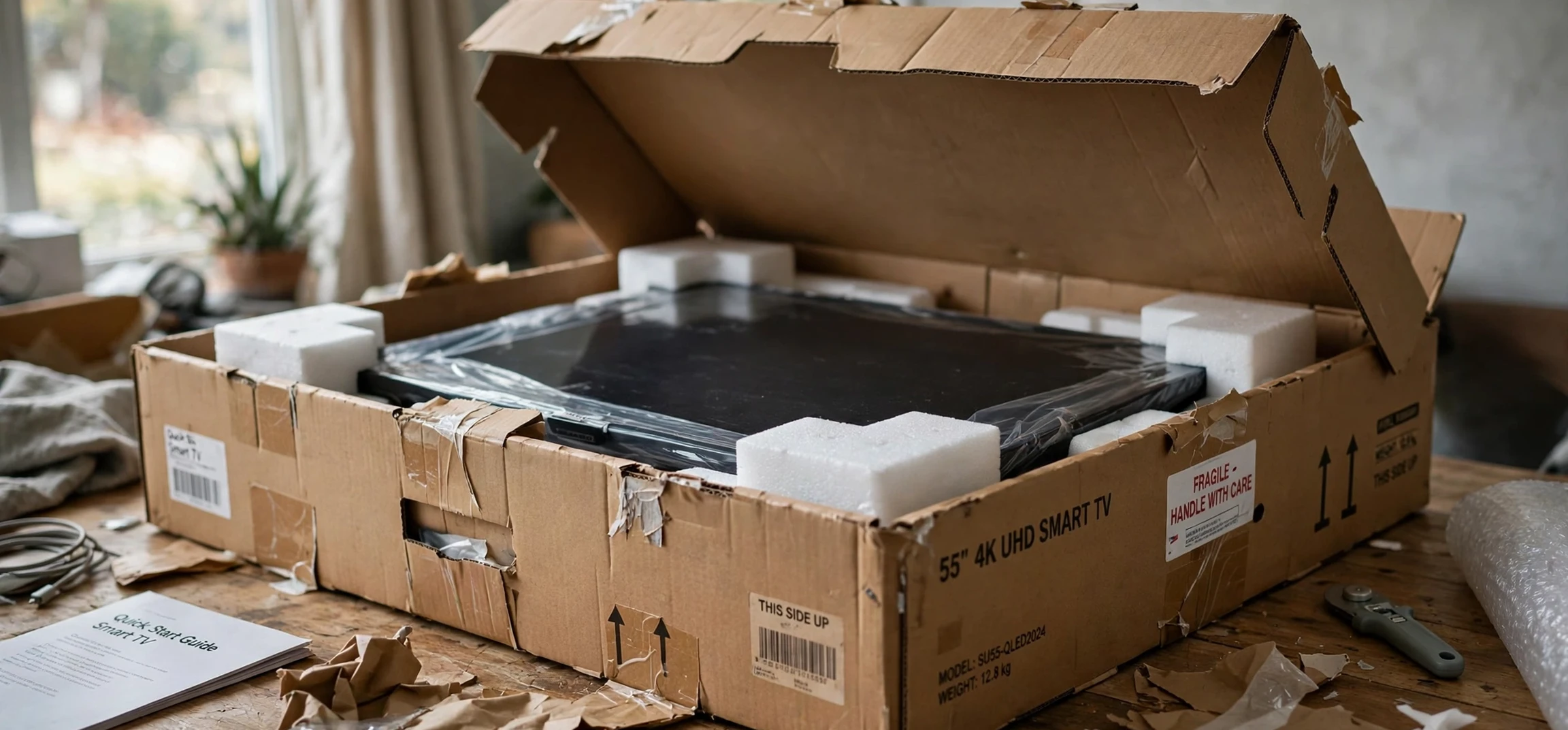
An open box television is a TV that has been opened, and often briefly used or returned, but is sold again rather than as a brand new sealed unit. If you have been shopping for a new screen and spotted an open box television at a lower cost than the sealed version, you may wonder whether it is a bargain or a risk. The honest answer is that it can be either, depending on why the box was opened, what condition the set is in, and what warranty and return cover comes with it. This guide explains what open box means, the different reasons a TV ends up in this category, and exactly what to check before you buy, with no prices quoted as current fact.
The idea behind open box is straightforward. Retailers receive returns for many reasons that have nothing to do with faults: a customer ordered the wrong size, changed their mind, received a duplicate gift, or found the TV did not fit their room. Rather than sending a perfectly good set back to the manufacturer or to landfill, the retailer inspects it, repackages it, and sells it again at a reduced cost, clearly labelled as open box. Other open box sets are ex-display models that spent time on a shop floor, or units whose boxes were damaged in transit while the TV itself stayed untouched. Each of these histories carries a different level of risk, which is why asking questions matters more than chasing the biggest discount.
What Is an Open Box Television?
An open box television is any TV sold in a box that has already been opened, as opposed to a factory sealed unit. The term describes the condition of the packaging and the sales history, not a specific brand, model, or quality grade. Two open box sets of the same model can be in very different states: one may have been opened, inspected, and returned the same day without ever being switched on, while another may have been used for weeks, wall mounted, and returned with marks on the screen or missing accessories. The label alone tells you that the box was opened; it does not tell you the full story.
Retailers usually grade open box stock, but grading words vary from shop to shop. Terms such as excellent, very good, good, and fair sound helpful, yet one retailer’s excellent may be another’s good. Always ask what the grade means in that particular store: does it refer only to cosmetic condition, or does it include a functional test? Was the screen checked for dead pixels, backlight problems, and panel uniformity? Were all ports tested? A grade is only useful when you know what was inspected to earn it.
It is also important to distinguish open box from refurbished. A refurbished TV has usually been repaired or restored, often by the manufacturer or an authorised service centre, and may carry a refurbished warranty. An open box TV, by contrast, may never have needed a repair at all. The distinction matters for warranty cover and for your rights if a fault appears later, so ask the seller directly which category the set falls into and get the answer in writing where possible.
Why a TV Becomes Open Box
Change of mind returns are the most reassuring reason. A customer buys a TV, realises it is too large for the wall, too small for the room, or the wrong model for their needs, and returns it promptly. These sets are often in near new condition, with all accessories present and only the outer seal broken. If the retailer confirms a quick, unused or barely used return, and the set passes inspection, the risk is low.
Display models are a different case. A TV that has spent weeks or months switched on in a bright shop, often showing the same demonstration footage on a loop, may have more wear than a home used set of the same age. Screens can suffer uneven wear, and the stand or remote may show handling marks. Display models are not automatically bad buys, since they are usually sold with a clear label and a lower cost, but they deserve a closer inspection, especially of the screen under a plain light colour and a dark colour, which reveal unevenness and marks most clearly.
Damaged box returns sit in the middle. Sometimes only the outer carton is dented or torn, and the TV inside was never removed. In that case the set is effectively new, and the open box label simply reflects the packaging. Sometimes, though, a damaged box hides transit damage to the set itself, such as a cracked corner or a bent stand. Inspecting the TV out of the box, rather than trusting the carton, is the only way to tell the difference.
Open Box Television Checklist Before You Buy
Start with the screen. Ask the seller to switch the set on and show a plain white image, a plain black image, and a normal programme or test pattern. On white, look for dark spots, lines, or discolouration. On black, look for bright patches, glowing edges, or uneven backlighting. On normal content, look for anything that distracts you, such as a persistent mark or a band of different brightness. Dead pixels are tiny dots that stay one colour regardless of the image; a few may be within a manufacturer’s tolerance, but a cluster in the centre of the screen is a reason to walk away.
Next, check the body and the stand. Look for cracks, dents, scratches, and signs of a previous wall mount, such as marks around the mounting holes on the back. Check that the stand is stable, that all screws are present, and that the set sits level. A wobbly stand or a missing foot may seem minor, but replacements can be awkward to source for older models, and an unstable set is a safety issue in a home with children or pets.
Then check every accessory and port. The box should contain the remote, batteries where supplied, the power cable, the stand parts, and the manual or quick start guide. Test the main HDMI ports with a device if the shop allows it, and check the USB ports, the aerial or cable input, and the optical audio output if you plan to use them. Missing accessories are not always a deal breaker, since remotes and cables can often be replaced, but they are a fair reason to ask for a further reduction or to choose a different unit.
Software and Smart Features
Modern TVs are computers as well as screens, so software matters. Ask the seller to show that the set connects to a network, that its smart menu opens promptly, and that its software is up to date or can be updated. Check that the previous owner’s accounts have been signed out and that the set can be reset to factory settings. A set still linked to a previous account can cause setup headaches and privacy concerns, and a clean reset is the simplest way to start fresh.
Also confirm the model number on the back of the set matches the model on the price label and the box. Retailers occasionally mix up similar models, and two sets that look identical can differ in panel type, refresh rate, or smart platform. The model number is the reliable identifier; the display card is not. A quick check of the label on the rear panel takes seconds and prevents an expensive misunderstanding.
Warranty and Returns for Open Box TVs
Warranty is where open box buying succeeds or fails. Some retailers sell open box sets with the full manufacturer warranty from the date you buy, some offer a shorter retailer warranty, and some sell with limited cover only. Ask three questions and keep the answers: how long is the warranty, who provides it, and what does it cover? A manufacturer warranty is usually stronger than a retailer only warranty, because it is backed by the maker and honoured by its service network. A short retailer warranty may still be acceptable if the saving is large, but you should know the trade off before you pay.
Return rights matter just as much. A generous return window lets you test the set properly at home, in your own lighting, with your own devices, and over several days. That home test is more revealing than any shop floor check, because backlight problems and sound issues often show up only in a dark room or at normal viewing distance. Before buying, confirm how many days you have to return the set, whether a restocking fee applies, and whether you need to keep the packaging. Keep the box until you are sure you are keeping the TV.
Also ask about the fault history. A reputable seller should be able to say whether the set was returned as faulty, repaired, or simply unwanted. If the seller cannot answer, or the answer is vague, treat that as information in itself. Transparency is a good sign; evasiveness is a reason to look elsewhere, however attractive the saving appears.
Open Box Versus New and Used
Compared with a new sealed TV, an open box set offers a lower cost in exchange for a shorter or less certain history. The saving can be worthwhile when the set is near new, fully inspected, and covered by a solid warranty and return window. The saving is less worthwhile when the warranty is short, the history is unclear, or the set shows visible wear. A useful rule is to compare like with like: the open box set plus any risk should still feel like good value next to the sealed version, not merely cheaper in isolation.
Compared with a second hand TV from a private seller, an open box set from a retailer is usually the safer choice. Retailers typically inspect, test, and offer some return cover, while private sales are often final, with no warranty and no way to verify the set’s history. That said, a private sale from someone you trust, with a chance to test the set thoroughly, can also work out well. The key difference is protection: retailer open box gives you a route back if something goes wrong, and that route has real value.
| Check | What to look for | Why it matters |
|---|---|---|
| Screen on white | Dark spots, lines, discolouration | Reveals panel damage and dead pixels |
| Screen on black | Bright patches, glowing edges | Reveals backlight and uniformity problems |
| Body and stand | Cracks, dents, stability, missing screws | Affects safety and long term use |
| Ports and accessories | Remote, cables, stand parts, working HDMI | Missing parts cost time and money to replace |
| Software reset | Previous accounts signed out, clean setup | Avoids setup and privacy problems |
| Warranty and returns | Length, provider, cover, return window | Your protection if a fault appears later |
Open Box Television FAQ
Is an open box television the same as a used TV?
Not necessarily. Many open box sets were returned quickly and barely used, while others were display models. Always ask why the box was opened rather than assuming the worst or the best.
Do open box TVs come with a warranty?
It varies by seller. Some carry the full manufacturer warranty, some carry a shorter retailer warranty, and some carry limited cover. Confirm the length, provider, and cover in writing before buying.
Is it safe to buy an open box television?
It can be, when you inspect the screen and body, test the ports, confirm the model number, and buy from a seller offering a clear warranty and return window.
What should make me walk away?
Walk away from screen damage in the centre of the panel, an unclear fault history, no return window, or a seller who will not switch the set on for inspection.
Conclusion
An open box television can be a smart buy when you treat the label as a question rather than a promise. Ask why the box was opened, inspect the screen on plain light and dark images, check the body, ports, and accessories, confirm the model number, and make sure the warranty and return window give you real protection at home. If those checks pass, the saving is genuine. If they do not, the sealed version, or a different unit, is the better choice. For setup help once your set is home, see our guide on how to turn on WiFi on an LG Smart TV, browse TV guide options, and check Apple TV movies for viewing ideas.



