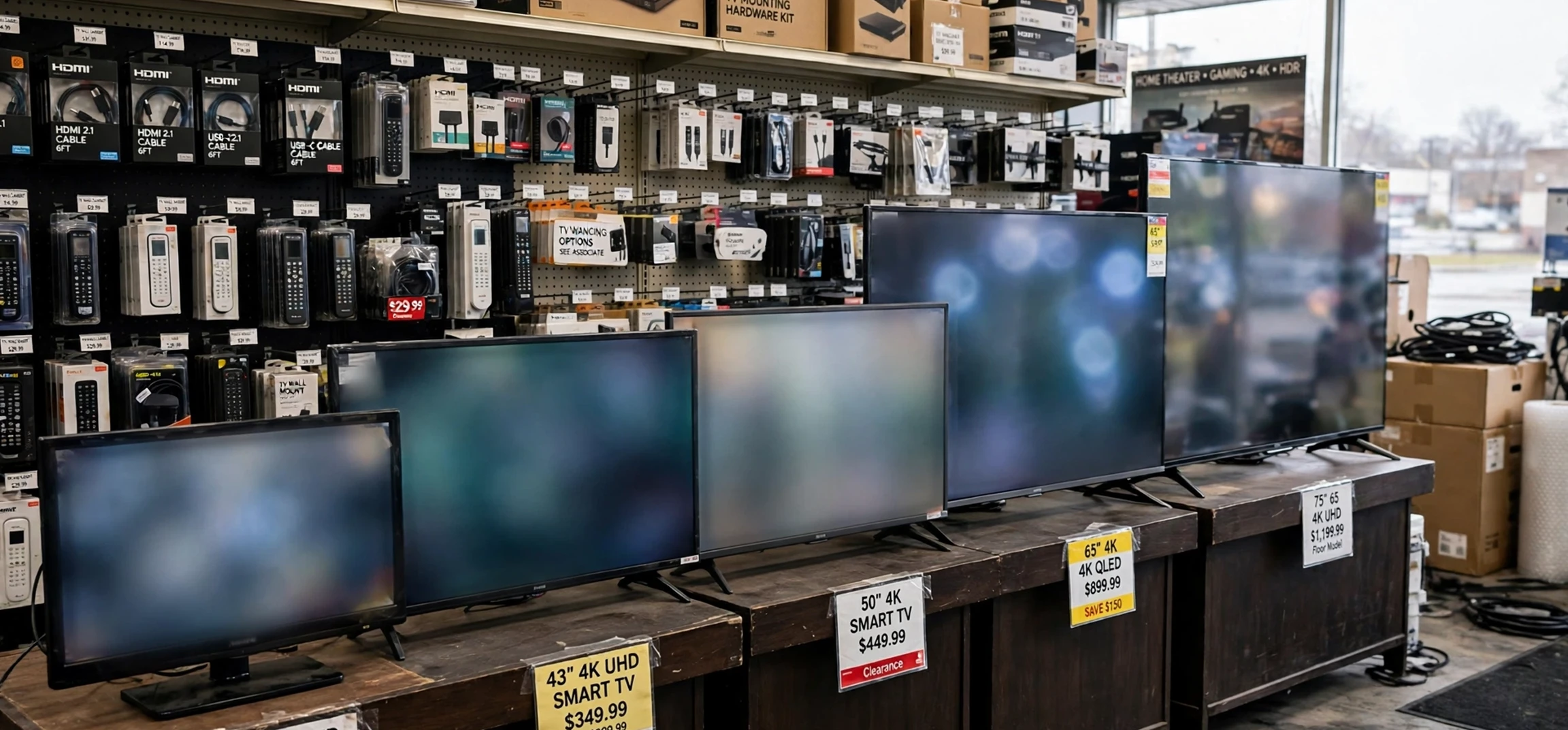
If you have ever stood in a shop or browsed an online listing and wondered, what are the different tv sizes, you are not alone. Television sizes can look confusing at first because the number on the box is a diagonal measurement, not the width, and two screens with the same diagonal number can have slightly different overall dimensions once the frame and stand are included. This guide answers the question what are the different tv sizes in a clear, practical way, with a size chart, plain explanations of how screens are measured, and tips for matching a screen to a room. It does not focus on brands or prices, because the right size depends far more on your space, your seating distance, and how you watch than on any single specification.
Understanding what are the different tv sizes really means, and asking what are the different tv sizes again when you shop, understanding a small set of standard screen sizes that manufacturers return to again and again. Compact screens suit bedrooms, kitchens, and small flats. Mid-size screens are the most common choice for living rooms. Large screens suit spacious rooms where viewers sit further back. Very large screens are best reserved for dedicated viewing rooms or large open-plan spaces. By the end of this guide, you will be able to read a size chart with confidence, picture how a screen will look on your wall or stand, and avoid the two most common mistakes: buying a screen that overwhelms a small room, or buying one that looks lost on a large wall.
What Are the Different TV Sizes? A Complete Size Chart
When people ask what are the different tv sizes, they are usually looking for a simple list they can compare at a glance. The table below gives the most common sizes, their diagonal measurement in inches and centimetres, and their approximate width and height. These dimensions are for the screen itself, without a stand, and they assume a modern widescreen shape with a ratio of sixteen parts wide to nine parts tall. Actual products vary a little by frame thickness, so always check the exact product dimensions before you buy or mount a screen.
| Screen size (diagonal) | Approximate width | Approximate height | Best suited to |
|---|---|---|---|
| 32 inches (81 cm) | 71 cm | 40 cm | Bedroom, kitchen, or small study |
| 43 inches (109 cm) | 95 cm | 54 cm | Small living room or bedroom |
| 50 inches (127 cm) | 111 cm | 62 cm | Average living room |
| 55 inches (140 cm) | 122 cm | 69 cm | Main living room |
| 65 inches (165 cm) | 144 cm | 81 cm | Larger living room |
| 75 inches (191 cm) | 166 cm | 93 cm | Spacious living room |
| 85 inches (216 cm) | 188 cm | 106 cm | Large room or viewing room |
| 98 inches (249 cm) | 217 cm | 122 cm | Very large room or dedicated space |
When comparing what are the different tv sizes side by side, the jump from one size to the next is larger than many shoppers expect. Moving from 55 inches to 65 inches, for example, does not just add ten inches in one direction. Because the screen grows in both width and height, the total viewing area increases by roughly forty percent. That is why a 65-inch screen can feel dramatically larger than a 55-inch screen in the same room, even though the diagonal numbers look close together. The same logic applies at every step of the chart, so it is worth thinking in terms of area, not just diagonal length.
When you ask what are the different tv sizes for a second room, smaller sizes still have an important place. A 32-inch screen is easy to place, easy to move, and well suited to a second room where the viewer sits close. A 43-inch screen is a popular compromise for a bedroom or a small flat, large enough for comfortable viewing without dominating the wall. At the other end of the scale, screens of 85 inches and above need careful planning. They need a wide wall, a strong mount or a suitable stand, and enough seating distance for the eye to take in the whole picture comfortably.
What Are the Different TV Sizes in Small Rooms?
In a small room, the question what are the different tv sizes becomes a question about balance. A screen that is too large for the room can make viewing tiring, because the eye has to move constantly to follow action across the picture. It can also dominate the room visually, leaving little wall space for anything else. A screen that is too small, on the other hand, can make subtitles hard to read and detail hard to follow, especially from a sofa on the opposite wall.
As a practical starting point, measure the distance from your usual seat to the wall or stand where the screen will sit, then compare it with the chart above. For a seat about two metres from the screen, a 43-inch or 50-inch screen is often comfortable. For a seat about two and a half metres away, a 55-inch screen is a common choice. For three metres or more, a 65-inch screen or larger starts to make sense. These are guidelines, not rigid rules, because personal preference matters. Some viewers prefer a more immersive picture, while others prefer a smaller, calmer image.
Room layout matters as much as distance. A screen placed in a corner, viewed from an angle, or mounted high above a fireplace will feel different from the same screen placed straight ahead at eye level. Try marking the outline of the screen on the wall with tape before you commit, using the width and height from the chart. Living with that outline for a day or two is a simple way to judge whether the size feels right in your actual room, with your actual furniture, rather than in a showroom.
Measuring Your Space Before You Choose
Start with three measurements: the width of the wall or stand, the distance from the seat to the screen, and the height of the screen centre relative to seated eye level. The screen should fit comfortably on its wall or stand with space around it for ventilation and for cables. The centre of the screen should ideally sit close to seated eye level, so you are not looking sharply up or down for long periods. If you plan to wall-mount, check the wall material and the mount rating, and confirm that the mount suits the screen size and weight.
How Screen Size Is Measured
If you are still asking what are the different tv sizes in practical terms, screen size is measured diagonally, from one corner of the visible display to the opposite corner. It does not include the frame, which is why two screens with the same diagonal size can have slightly different overall widths. It also does not tell you the resolution, which is the number of picture elements, or pixels, that make up the image. A larger screen does not automatically mean a sharper picture. Sharpness depends on resolution, viewing distance, and the quality of the source material.
Most modern screens use a widescreen shape, sixteen units wide for every nine units tall. This shape suits films and most television programmes, which are produced for widescreen viewing. Older screens sometimes used a squarer shape, four units wide for every three units tall, but that shape is now rare for new televisions. When you compare sizes, make sure you are comparing screens with the same shape, otherwise the diagonal numbers will not be directly comparable.
It is also worth distinguishing between screen size and overall size. The overall size includes the frame and, if used, the stand. The stand can add height and depth, and it needs a surface wide and deep enough to support it safely. If you are placing a screen on furniture rather than mounting it, check the stand footprint as well as the screen width. A screen that fits the wall may still overhang a narrow stand, which is both unsafe and untidy.
Choosing Between Neighbouring Sizes
Many buyers who ask what are the different tv sizes narrow their choice to two neighbouring sizes, such as 55 inches versus 65 inches, or 50 inches versus 55 inches. When that happens, seating distance is usually the deciding factor. If you sit relatively close, the smaller option often gives a more relaxed view. If you sit further back, the larger option helps detail and subtitles stay clear. Room brightness, viewing angle, and how often you watch films versus news or sport can also tip the balance, but distance remains the most reliable guide.
Another useful test is to think about your current screen. If your present screen feels too small, a jump of one size may not feel like enough of a change, especially once the new screen is on the wall. If your present screen already feels large, a jump of two sizes may feel overwhelming. Most people are happiest with a measured step up, rather than the largest screen they can fit. Comfort over long viewing sessions matters more than impact in the first five minutes.
For households that watch together, consider the widest viewing angle as well. A larger screen viewed from the side can still be comfortable, but viewers at the far ends of a wide sofa will see the picture at a sharper angle. In a wide room, seating arrangement and screen position matter as much as size. Centring the screen on the main seating area, rather than on the wall alone, usually gives the best result for everyone.
Frequently Asked Questions About TV Sizes
What are the different tv sizes that suit a bedroom?
For most bedrooms, the useful answer to what are the different tv sizes starts with 32 inches, 43 inches, and 50 inches. A 32-inch screen suits a small bedroom or a close viewing position, a 43-inch screen suits a standard bedroom, and a 50-inch screen suits a larger bedroom where the bed is further from the wall. The best choice depends on the distance from the bed to the screen and on how much wall space you have.
What are the different tv sizes that suit a living room?
For a living room, the common answer to what are the different tv sizes covers 50 inches, 55 inches, 65 inches, and 75 inches. A 50-inch or 55-inch screen suits an average living room, while 65 inches and 75 inches suit larger rooms with longer seating distances. If you are unsure, measure your seating distance first, then use the chart in this guide as your starting point.
What are the different tv sizes, and how are they measured?
To recap, what are the different tv sizes is answered by the diagonal measurement of the visible screen, from one corner to the opposite corner, in inches. That measurement does not include the frame or the stand. For that reason, always check the full product width, height, and depth, as well as the diagonal size, before buying a mount or choosing furniture.
For background on how television itself developed, you may enjoy reading about when television was invented, and for help planning what to watch once your screen is set up, see this TV guide overview. Both are useful companions to a size chart, because they put the screen itself into the wider story of television viewing.
Conclusion: Choosing Your TV Size With Confidence
The clearest answer to what are the different tv sizes, and to what are the different tv sizes for your own home, is also the most practical one: a ladder of standard sizes from compact 32-inch screens to very large 98-inch screens, each suited to a different room and seating distance. Start with your room, measure your seating distance, mark the outline on the wall, and choose the size that feels comfortable over a long evening, not just impressive for a moment. That approach will serve you far better than chasing the largest number on the chart.
Remember that size is only one part of a good viewing experience. Position, lighting, seating, and sound all shape how enjoyable a screen feels day after day. Get the size right for your room, place it at a comfortable height, and you will have a setup that works for films, sport, news, and everyday viewing alike. Use the chart above as a reference whenever you need it, and revisit it before your next upgrade, because your room or seating may have changed since the last time you chose.



