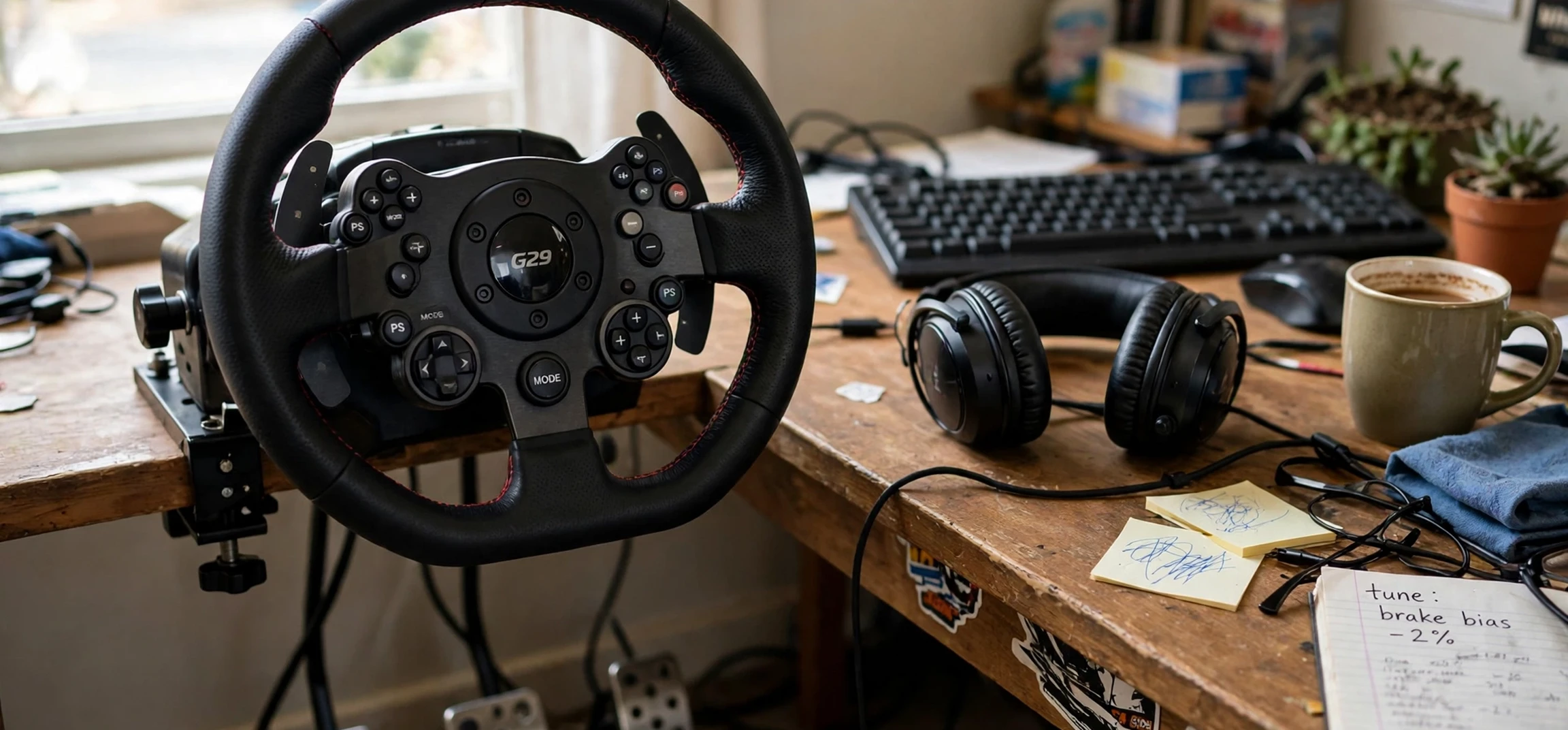
This iracing buying guide is written for drivers who want to start sim racing with a clear plan, rather than buying hardware and content in the wrong order. iRacing is a subscription-based online racing simulation known for its structured competition, licensed tracks and cars, and a safety rating system that rewards clean driving. That structure is part of its appeal, but it also means that buying decisions matter: the subscription, the cars and tracks you add, and the hardware you race with all shape the experience. This iracing buying guide walks through each choice in order, explains what matters most at each stage, and helps you avoid the common mistake of spending heavily on equipment before you know which kind of racing you enjoy.
The first decision is the subscription itself. iRacing is organised around membership, with a base package that includes a starter set of cars and tracks. From there, additional cars and tracks are purchased separately, and many drivers build their collection gradually as they move into new series. Before committing, it helps to try the included rookie content thoroughly. Rookie series are designed to teach racecraft, car control, and respect for other drivers, and they give a genuine feel for the platform without a large additional outlay. If you enjoy that structured, competitive environment, then expanding your collection makes sense. If you prefer casual driving, a different style of simulation may suit you better.
Your iRacing Buying Guide to Membership and Content
Think of iRacing content in three layers. The first layer is the base subscription and its included cars and tracks, which cover several popular forms of racing, including road racing, oval racing, dirt racing, and rallycross-style events. The second layer is the series you want to race regularly. Each series uses specific cars and tracks on a rotating schedule, so the sensible approach is to buy content for one series at a time, following the schedule for the season ahead. The third layer is variety: extra cars and tracks bought for fun, for practice, or for future series. Keeping these layers separate prevents the most common regret, which is owning a scattered collection of cars and tracks that never quite add up to a full season in any one series.
Planning by season is the key habit. Before buying a new car, check which series use it and whether you intend to race that series for a full season. Before buying a track, check how often it appears in your chosen series and whether it also appears in other series you race. Tracks tend to offer better long-term value than cars, because a single track can appear across many series, while a car may be limited to one or two. Many experienced drivers recommend prioritising tracks first, then adding cars as your interests narrow. It is also worth remembering that content does not expire, so a gradual collection built over several seasons can become a broad library without a single large outlay.
Hardware in This iRacing Buying Guide
Hardware decisions should follow the same gradual logic. The essential starting point is a computer capable of running the simulation smoothly and a stable internet connection, since iRacing is an online service and frame-rate stability matters for consistency. A controller can work for a first look, but a wheel and pedal set transforms the experience, giving finer control over steering, braking, and throttle. Entry-level wheel and pedal sets are a sensible first purchase, offering force feedback that communicates grip, kerbs, and slides. As your commitment grows, you may consider a stronger wheel base, a load-cell brake pedal for more consistent braking, and a sturdy mount or rig that keeps everything fixed in place.
Displays and seating deserve the same staged thinking. A single monitor is perfectly adequate to start, and many drivers race competitively on one screen. Triple monitors or a wide display improve peripheral vision and spatial awareness, which helps in close racing, but they also demand more from the computer. Virtual reality headsets offer immersion and natural depth perception, though they require a capable computer and suit some drivers better than others. A comfortable, stable seat matters more than it first appears: long races demand a consistent driving position, and a wobbling desk setup undermines the precision that better pedals are meant to provide.
What to Prioritise First
If you are building a setup step by step, most experienced sim racers suggest this order: a reliable computer and connection, a wheel and pedal set, a solid mount, then a load-cell brake, then display upgrades, and finally motion or advanced accessories. This order puts money where lap time and consistency come from first. A strong brake pedal, for example, often improves lap times more than a more powerful wheel, because braking consistency is a limiting factor for many drivers. Similarly, a rig that stops pedals sliding underfoot can matter more than a cosmetic upgrade.
Do not overlook the small items. A headset or clear audio setup helps with spotter calls and race communication. A keyboard within reach helps with chat, pit controls, and session management. Cable management and a tidy driving space make long sessions more comfortable and reduce the chance of a pedal or wheel disconnecting mid-race. These details cost little but remove frustration.
Choosing Your First Series
Your first series should match your interests and your patience for learning. Road racing rewards precision, braking points, and smooth inputs, and its rookie series teach fundamentals that transfer across motorsport. Oval racing rewards consistency, traffic management, and close pack driving, with a different rhythm and strategy. Dirt racing rewards car control on loose surfaces and quick reactions. Trying each rookie category briefly is a good idea, but settling into one series for a season builds the safety rating and racecraft that unlock higher licence levels. Licence progression in iRacing is tied to clean driving and participation, so patience in the early stages pays off in access to more advanced series later.
Community matters too. Joining a league, a team, or a friendly practice group can accelerate learning far faster than solo practice alone. Watching faster drivers, sharing setups, and discussing incidents after a race all build skill. iRacing also offers hosted sessions and official races at many times of day, so drivers in different time zones can usually find competitive fields. Checking when your preferred series is most active helps you plan practice and race sessions around busy fields.
Common Buying Mistakes to Avoid
The first mistake is buying everything at once. A large opening order feels exciting, but it often includes cars and tracks you rarely use. The second mistake is upgrading hardware before learning the basics. A top-level wheel will not fix inconsistent braking or poor racecraft. The third mistake is ignoring the computer: a simulation that stutters or drops frames makes close racing harder and more frustrating than a modest wheel ever will. The fourth mistake is buying content without checking the season schedule, which can leave you with a car for a series you do not actually race. Avoiding these four mistakes keeps the hobby enjoyable and affordable over time.
For related reading, see our guide to the first television ever made for a look at how display technology evolved, our collection of picture guessing games for casual gaming variety, and our guide to blurring pictures on iPhone for a practical mobile how-to.
| Purchase stage | What to buy | Why it matters |
|---|---|---|
| Stage 1: Start | Subscription and included content | Learn the platform and find your preferred racing style |
| Stage 2: First series | Tracks, then car, for one chosen series | Builds a complete season without scattered spending |
| Stage 3: Core hardware | Wheel, pedals, and a solid mount | Control, consistency, and comfort |
| Stage 4: Refinement | Load-cell brake and display upgrade | Braking precision and spatial awareness |
| Stage 5: Long term | Extra series content and rig upgrades | Variety and a stable, lasting setup |
Frequently Asked Questions
Do I need an expensive wheel to start?
No. An entry-level wheel and pedal set is enough to learn car control and enjoy rookie racing. Upgrade once you know which series you race most and which part of your driving needs the most help.
Should I buy cars or tracks first?
Tracks usually offer better value first, because one track can appear in many series, while a car may be limited to a few. Plan around the season schedule for your chosen series.
Can I race with a single monitor?
Yes. Many competitive drivers use a single monitor. Wider displays and triple screens help with awareness in close racing, but they are an upgrade, not a requirement.
How long does purchased content last?
Purchased cars and tracks remain in your account and do not expire, so a collection built gradually over several seasons stays available for future racing.
Conclusion
A good iracing buying guide comes down to sequence: subscription first, one series at a time, tracks before scattered cars, and hardware in the order that improves consistency. Start modestly, learn the platform through rookie racing, and let your purchases follow your actual driving habits rather than a wish list. Built that way, an iRacing collection and setup grow into a lasting hobby: competitive, social, and rewarding, without the regret of buying the wrong things first.



