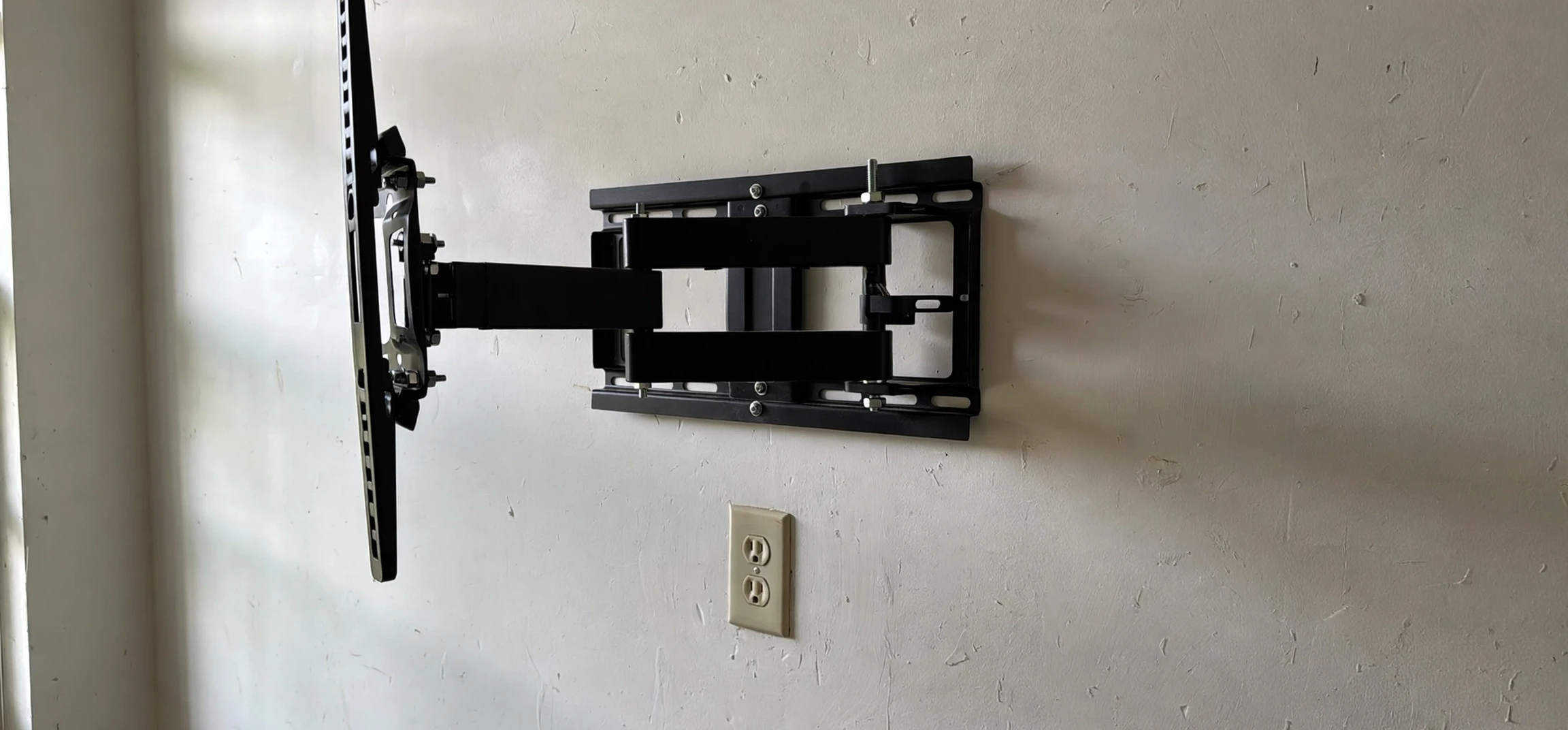
Learning how to mount a TV in metal studs is different from mounting one in wooden studs, and getting it wrong can end with a television on the floor. Metal studs are thinner, hollow, and far less forgiving than timber, so the fixings, the tools, and the technique all matter more. This guide walks you through how to mount a TV in metal studs safely: finding the studs, choosing the right anchors and mount, and fixing everything securely, with honest advice about when to call a professional instead.
Before you start, check the weight of your television and the rating of your mount. Most modern flat-screen televisions are lighter than older models, but a large screen with a full-motion arm still puts serious leverage on the wall. A mount rated well above your television’s weight, fixed into the studs rather than the plasterboard alone, is the foundation of a safe installation.
How to Mount a TV in Metal Studs: The Basics
Metal studs are usually light-gauge steel channels, roughly 25-gauge, hidden behind plasterboard. Unlike wooden studs, which grip a screw along their full thickness, a metal stud is a thin shell. A standard wood screw will strip out of it almost immediately. That is why the first rule of how to mount a TV in metal studs is simple: never rely on ordinary screws into the metal alone, and never rely on plasterboard fixings alone for a heavy television.
The reliable approaches use fixings designed to spread the load. Toggle bolts that open out behind the plasterboard and grip the stud, or specialist metal-stud anchors that clamp through the stud, are the usual choices. Some installers add a plywood backing board, screwed across several studs, and then fix the mount to the board. That spreads the load across a much larger area and is an excellent option for heavier televisions or full-motion mounts.
What You Will Need
- A stud finder that can detect metal, or a strong magnet
- A spirit level, tape measure, pencil, and masking tape
- A drill with metal drill bits and a driver
- Toggle bolts or specialist metal-stud TV anchors, rated above your television’s weight
- A TV wall mount rated above your television’s weight
- Optionally, a sheet of plywood for a backing board
- A second person to help lift and hold the television
Step 1: Find the Metal Studs
Start by finding the studs. An electronic stud finder with a metal-detection mode works well, but a strong magnet dragged slowly across the wall is a surprisingly reliable low-tech method: it will catch on the screws that fix the plasterboard to each stud. Mark each stud’s centre line with masking tape, and mark the full width if you can. Studs are typically spaced 400 or 600 millimetres apart, but always verify rather than assuming.
Measure the height you want. A common rule is that the centre of the screen should sit roughly at eye level from your normal seating position. Mark the mount’s fixing positions on the wall and check them with a spirit level before drilling anything. Mistakes at this stage are easy to avoid and annoying to repair.
Step 2: Choose the Right Fixings
Your choice of fixing is the most important decision in the whole job. Here are the main options, with their trade-offs:
| Fixing type | How it works | Best for |
|---|---|---|
| Toggle bolts | Wings open behind the plasterboard and stud | Most flat and tilt mounts |
| Metal-stud anchors | Clamp through the thin steel stud | Heavier televisions, full-motion arms |
| Plywood backing board | Board spans several studs; mount fixes to board | Heavy screens and articulating mounts |
| Plasterboard-only plugs | Grip the plasterboard alone | Not recommended for televisions |
Whatever you choose, check the rated load and use at least four fixing points where the mount allows it. If your mount’s holes do not line up with stud positions, the backing-board method solves the problem neatly, because the mount can then be fixed anywhere on the board.
Step 3: Drill and Fix the Mount
Drill pilot holes through the plasterboard and into the stud using a metal drill bit, keeping the drill straight and steady. Metal studs can flex and the bit can wander, so light pressure and a sharp bit help. Insert your chosen fixings, tighten them firmly but without crushing the stud or cracking the plasterboard, and check that the mount plate sits flat against the wall.
Before hanging the television, test the mount. Pull firmly downward and outward on the mount plate. It should feel completely rigid, with no flexing, creaking, or movement in the wall. If anything moves, stop, remove the fixings, and reconsider your approach — a backing board or a different anchor type usually solves it. Never hang an expensive television on a mount you have not tested.
Step 4: Hang the Television
Attach the mounting brackets to the back of the television first, following the mount manufacturer’s instructions and using the correct screw length for your television. Screws that are too long can damage the screen’s internals; screws that are too short will not hold. With a second person, lift the television onto the wall plate, secure any locking screws or safety catches, and level the screen.
Route the cables neatly, leaving enough slack that the cables are not strained when the television is adjusted. If you used a full-motion arm, move the television gently through its full range and check that nothing pulls, pinches, or strains at any position.
Common Mistakes When Mounting a TV in Metal Studs
- Using wood screws directly into thin metal studs, which strip out under load.
- Fixing only into plasterboard, which cannot carry a television’s weight safely.
- Guessing stud positions instead of verifying them, so fixings miss the stud entirely.
- Under-rating the mount or fixings, especially with full-motion arms that multiply leverage.
- Drilling with too much force, which bends the stud and enlarges the hole.
- Skipping the pull test before hanging the television.
When to Call a Professional
Some situations call for professional help. If your wall is an older or unusual construction, if the television is very large or heavy, if you need to run cables inside the wall, or if you are unsure about the stud layout after checking, a qualified installer is worth the cost. The same applies if your first attempt at fixing feels insecure. A television falling from a wall is a safety hazard as well as a financial loss, and there is no shame in getting expert help.
Frequently Asked Questions
Can you mount a TV on metal studs at all?
Yes, absolutely — with the right fixings. Toggle bolts, specialist metal-stud anchors, or a plywood backing board all work well. What fails is treating metal studs like wooden ones.
How much weight can a metal stud hold?
It depends on the stud gauge, the fixing type, and how many studs share the load. Always use fixings rated above your television’s weight and spread the load across at least two studs where possible.
Do I need a backing board?
Not always, but it is the safest option for heavy televisions and full-motion mounts, and it solves alignment problems when mount holes do not match stud positions.
How to Mount a TV in Metal Studs: Checking Your Wall Type First
Before you buy fixings, confirm that your wall really does contain metal studs. Some walls have a mix of timber and metal, and some internal walls are solid masonry with a plasterboard lining fixed to battens. A magnet test helps: run a strong magnet over the wall and note where it catches on screws. In a metal-stud wall, the catches will form regular vertical lines. If the magnet catches irregularly or not at all, your wall may be constructed differently, and you should investigate further before drilling.
Another useful check is to look at the top of the wall, if accessible, or at an electrical outlet box. Outlet boxes in stud walls are usually fixed to a stud, and removing a faceplate (with the power safely isolated) can reveal the stud material beside the box. Never work on electrics unless you are competent to do so, and always isolate the circuit first. If you are unsure about anything, a professional installer can identify the construction quickly.
Knowing your wall type matters because the fixings differ. Masonry walls need masonry plugs and screws, timber studs need wood screws, and metal studs need toggle bolts or specialist anchors. Using the wrong fixing is the most common cause of failed TV mounts, so this five-minute check is time well spent.
How to Mount a TV in Metal Studs: Cable Management Tips
Once the television is mounted, cable management makes the difference between a tidy installation and a tangle. Plan your cable routes before you hang the television: decide where power, HDMI, and aerial cables will run, and measure the lengths you need. Cables that are too short will strain connectors; cables that are far too long will bunch up behind the screen.
Simple trunking that matches your wall colour hides cables neatly and can be painted over. Adhesive cable clips keep runs tidy inside trunking or behind furniture. If you want cables hidden inside the wall, that is a bigger job: it involves cutting plasterboard, routing cables past studs, and making good afterwards, and it may require a professional, particularly where electrical cables are involved. Never run mains power cables loosely inside a wall cavity unless they are properly installed to electrical standards.
Label both ends of each cable before you push the television back against the wall. Six months later, when you add a new device, you will be grateful. Keep a little slack at each end so that you can pull the television forward on its arm, if it has one, without unplugging anything.
How to Mount a TV in Metal Studs: Safety Checks After Installation
After installation, run through a final safety checklist. First, confirm that all fixing points are tight and that the mount does not flex when you press firmly on it. Second, check that the television’s locking screws or safety catches are engaged, so the screen cannot lift off the mount accidentally. Third, verify that ventilation around the television is adequate: screens generate heat, and pushing a television tight into a recess without airflow can shorten its life.
Fourth, check the area below the television. Heavy objects, heaters, and small children climbing furniture all change the risk profile of a wall-mounted screen. Keep the space below reasonably clear, and if you have toddlers, consider additional anti-tip precautions. Finally, revisit the mount after a week: fixings can settle slightly, and a quick re-check of tightness catches any loosening early.
These checks take ten minutes and give lasting peace of mind. A wall-mounted television should feel like part of the wall — solid, level, and unremarkable. If anything about it draws your attention, investigate before it becomes a problem.
Conclusion
Knowing how to mount a TV in metal studs comes down to three principles: find the studs properly, use fixings designed for thin steel, and test the mount before you trust it with your television. Take your time, use a second pair of hands, and do not cut corners on fixings. Done properly, a metal-stud wall holds a television just as securely as a timber one. For more home guides, see our explainers on addressing and labelling and television guides, plus our practical definitions.



