Building a cartoon version of yourself from scratch is a design project, not just a filter: you decide the shapes, the colours, and the personality, and the result is a character that represents you rather than a traced copy of a photograph. If you have searched for how to “make a toon of yourself” and want something more personal than an automatic conversion, this guide is for you. It covers choosing a visual style, designing a character from the ground up, keeping the likeness recognisable without copying a photo, and sharing the finished character safely. Throughout, the rule is the same as for any portrait: work from your own likeness and your own ideas, and do not use the character to impersonate or mislead anyone.
A character built from scratch starts with a question that a photo filter never asks: what do you want this cartoon to say about you? A friendly, rounded character with warm colours says something different from a sharp, angular character in monochrome. Neither is better in itself; the right choice depends on where the character will live. A cheerful character suits a personal blog or a community profile, a sleek minimal character suits a professional portfolio, and a bold, expressive character suits comics, streaming graphics, or playful social posts. Deciding the purpose first makes every later choice easier, from face shape to background colour.
Choosing a Style to “make a toon of yourself”
Cartoon styles differ mainly in three ways: how realistic the shapes are, how bold the outlines and colours are, and how much detail is included. A simple flat style uses clean shapes, solid colours, and little shading, which reads clearly at small sizes and is forgiving for beginners. A comic style uses stronger outlines, expressive eyes, and dynamic poses, which suits storytelling and humour. A soft animated style uses rounded shapes, gentle shading, and larger eyes, which feels warm and approachable. A sketch style keeps visible pencil-like lines and texture, which feels artistic and handmade. Try sketching the same face in two styles on paper, even roughly, before committing to one, because the difference in feeling is often clearer on paper than in your head.
Colour is part of style, not an afterthought. A small palette of three to five colours, used consistently, makes a character look designed rather than random. Pick a skin tone that feels right to you, a hair colour, one main clothing colour, and one accent colour for details such as glasses, a badge, or a background shape. Test the palette at small size, since a character used as a profile picture will often be seen at a few centimetres wide, where subtle colour differences disappear and strong contrasts matter. If two colours blur together at small size, increase the contrast or simplify the palette.
Consistency is what turns a single drawing into a character. If you plan to use the cartoon in more than one place, keep a simple reference note: the face shape, the hairstyle, the usual outfit colours, and any signature detail, such as a particular pair of glasses, a hat, or a favourite colour. That note lets you recreate the character later, or brief someone else to draw it, without it drifting into a different person each time. Professional character designers keep exactly this kind of sheet, and a one-page version is enough for personal use.
Designing a Character to “make a toon of yourself”
Start with the head shape, because it sets the character’s whole feeling. A round head reads friendly and young, an oval head reads balanced and natural, a square jaw reads confident and strong, and a longer, narrower head reads elegant or thoughtful. Draw the head shape first, then place the eyes on a horizontal line about halfway down the head, the nose below them, and the mouth below that. Cartoon faces exaggerate one or two features, so choose which feature carries the likeness: for many people it is the hairstyle, for others it is glasses, a smile, or a distinctive eyebrow shape. Exaggerate that feature gently, and keep the rest simpler, so the character stays recognisable without turning into a caricature that feels unkind.
Hair is usually the fastest way to make a cartoon recognisable. Think in terms of silhouette first: the overall shape of the hair around the head matters more than individual strands. Is it short and neat, long and flowing, curly and full, or tied back? Draw that silhouette as one shape, then add a few inner lines to suggest texture and parting. The same approach works for facial hair, hats, and accessories: silhouette first, detail second. If you wear glasses, draw them as a clear, consistent shape, since glasses frame the eyes and anchor the face. Earrings, a headscarf, or a favourite jacket can serve the same anchoring role, as long as they are details you actually associate with yourself.
Body and pose come next, and for most uses a simple bust portrait, head and shoulders, is enough. If you want a full character, keep the body proportions simple and consistent: cartoon characters often have a larger head relative to the body than a real person, which is part of the charm, but the ratio should stay the same across drawings. A relaxed, open pose with shoulders slightly angled feels natural for a profile character, while a waving hand or a thumbs-up adds energy for a greeting graphic. Avoid overly complex poses at first; a character that works standing still will also work in motion later, but the reverse is rarely true.
A Simple Character Design Checklist
| Design element | Decision to make | Why it matters |
|---|---|---|
| Head shape | Round, oval, square, or long | Sets the character’s overall feeling |
| Signature feature | Hairstyle, glasses, smile, or accessory | Makes the character recognisable at a glance |
| Colour palette | Three to five consistent colours | Keeps the character coherent across uses |
| Outline and shading | Bold, soft, flat, or sketchy | Defines the visual style |
| Pose and framing | Bust portrait or full character | Decides where the character can be used |
| Background | Plain, patterned, or scenic | Affects readability at small sizes |
Tools for Building a Cartoon Character
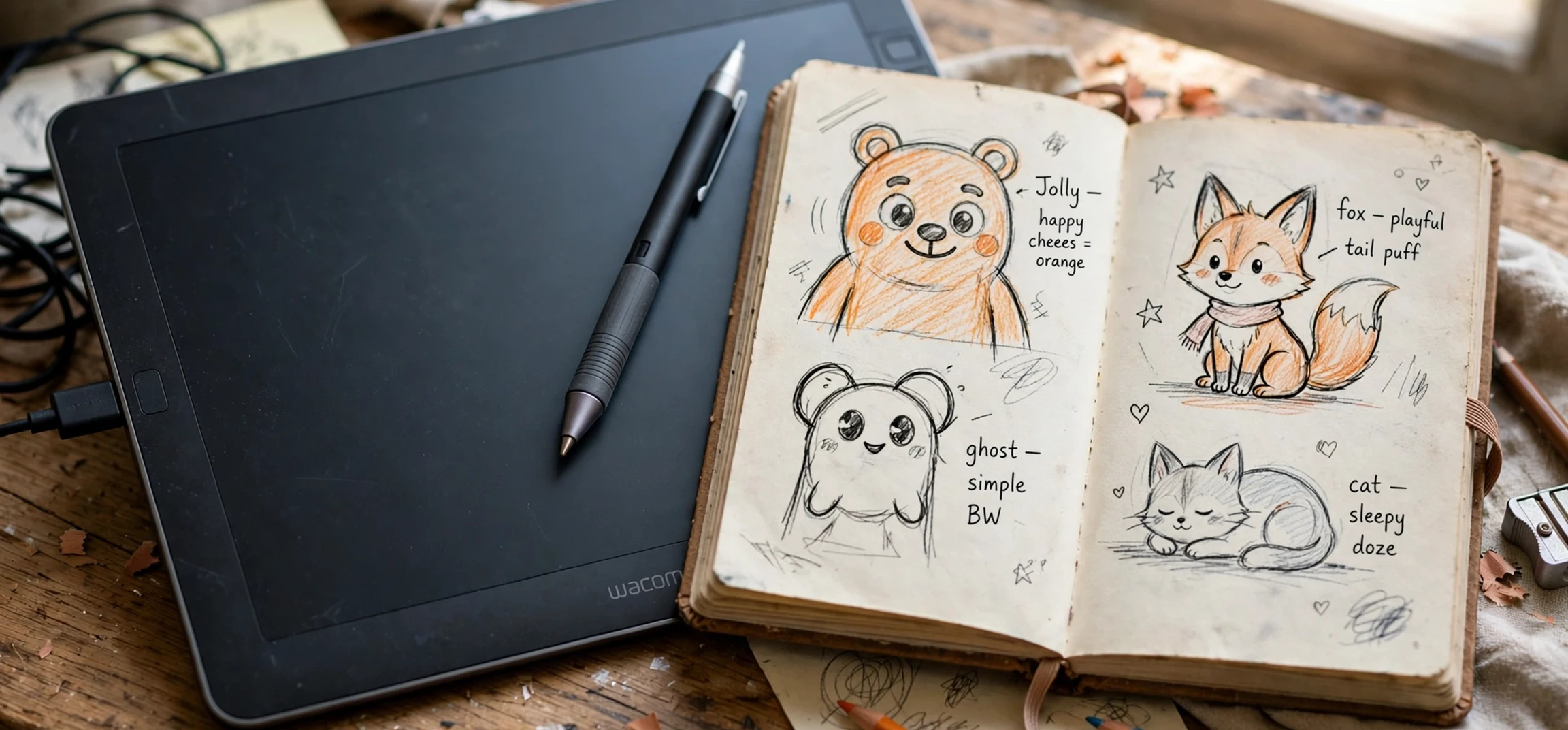
You do not need expensive software to design a character from scratch. Paper and pencil are a perfectly good starting point, and many strong characters begin as doodles in a notebook. If you prefer digital tools, a free or low-cost drawing app with layers is ideal, because layers let you draw the head, hair, and clothes separately and adjust one without redrawing the others. Avatar and character-builder apps offer a middle path: you choose face shape, hairstyle, eyes, clothes, and colours from menus, which is faster than drawing and still gives you design control, though the result will share parts with other users’ characters.
Whichever tool you choose, work in stages and save versions as you go. Start with a rough sketch, then a cleaner outline, then flat colours, then shading and details. Saving each stage separately means you can go back if a later change does not work, and it gives you a natural set of images to share if you ever want to show how the character was made. Export the finished character in a common image format at a generous size, and keep a version with a transparent background if your tool supports it, since that version can sit on any background later, from a profile page to a presentation slide.
If you commission someone else to draw your character, give them your reference note and a few photos of yourself for likeness only, with your agreement on how the images will be used, and agree the usage and credit in advance. That conversation protects both sides and usually produces a better result, because the artist understands what the character is for. Never ask an artist, or a tool, to recreate a real person’s likeness for deception, and never present a character as a real photograph of yourself or of anyone else.
Sharing Your Cartoon Character Safely
A cartoon character feels less personal than a photograph, but it can still identify you, especially if it uses your hairstyle, glasses, name, or other recognisable details alongside your accounts. Share it with the same thought you would give a photo: consider who will see it, whether it links to your real name or workplace, and whether you are comfortable with it being copied or reposted. A character used on a public profile will travel further than one shared in a small group, so choose the level of detail accordingly. Some people keep two versions: a detailed character for friends, and a simpler, more generic one for public profiles.
There are also practical safety habits worth keeping. Do not embed personal details in the image itself, such as a location, a workplace logo you do not own, or text with private information. If you post the character alongside personal stories, remember that the combination of image and story can reveal more than either alone. If a platform lets you control who sees the image, use those controls for early versions and widen the audience only when you are happy with the result. And if someone copies your character without permission, most platforms have a reporting route, and keeping your original design files with dates helps show that the character is yours.
Finally, keep the character honest. A cartoon of yourself should be a playful representation, clearly a cartoon, not a tool for pretending to be another person, creating a false account, or misleading an audience about your identity. That boundary is what keeps character design fun and creative for everyone, and it is easy to respect: be yourself, in cartoon form, and let the character’s style do the talking.
Frequently Asked Questions
Can I build a cartoon character if I cannot draw?
Yes. Character-builder apps and avatar makers let you design by choosing shapes, hairstyles, and colours, and simple flat styles are forgiving even for beginners. Start with a bust portrait, keep the palette small, and refine one feature at a time.
How do I keep the character recognisable as me?
Pick one or two signature features, usually hairstyle and glasses or another accessory, and keep them consistent. A consistent silhouette and colour palette matter more for recognition than fine detail.
How is this different from a photo cartoon filter?
A filter converts a photo automatically, while a built character is designed from choices you make about shape, style, and colour. The built character is more stylised and less photo-like, but it is also more personal and more reusable across different images.
Is a cartoon character safer to share than a photo?
It can feel safer, but it can still identify you, especially with recognisable details and a linked name. Share it with the same care as a photo, avoid personal details in the image, and use platform privacy controls where available.
Conclusion
To make a toon of yourself as a designed character, start with purpose, choose a style and a small colour palette, build the face around one signature feature, and keep a short reference note so the character stays consistent. Paper, a drawing app, or a character builder can all get you there, and the best choice is the one you will actually enjoy using. Share the finished character thoughtfully, keep it clearly a cartoon, and let it represent you honestly. For related creative reading, see our guides to cartoon dog characters, fast cartoon characters, and Jungle Book cartoon characters.