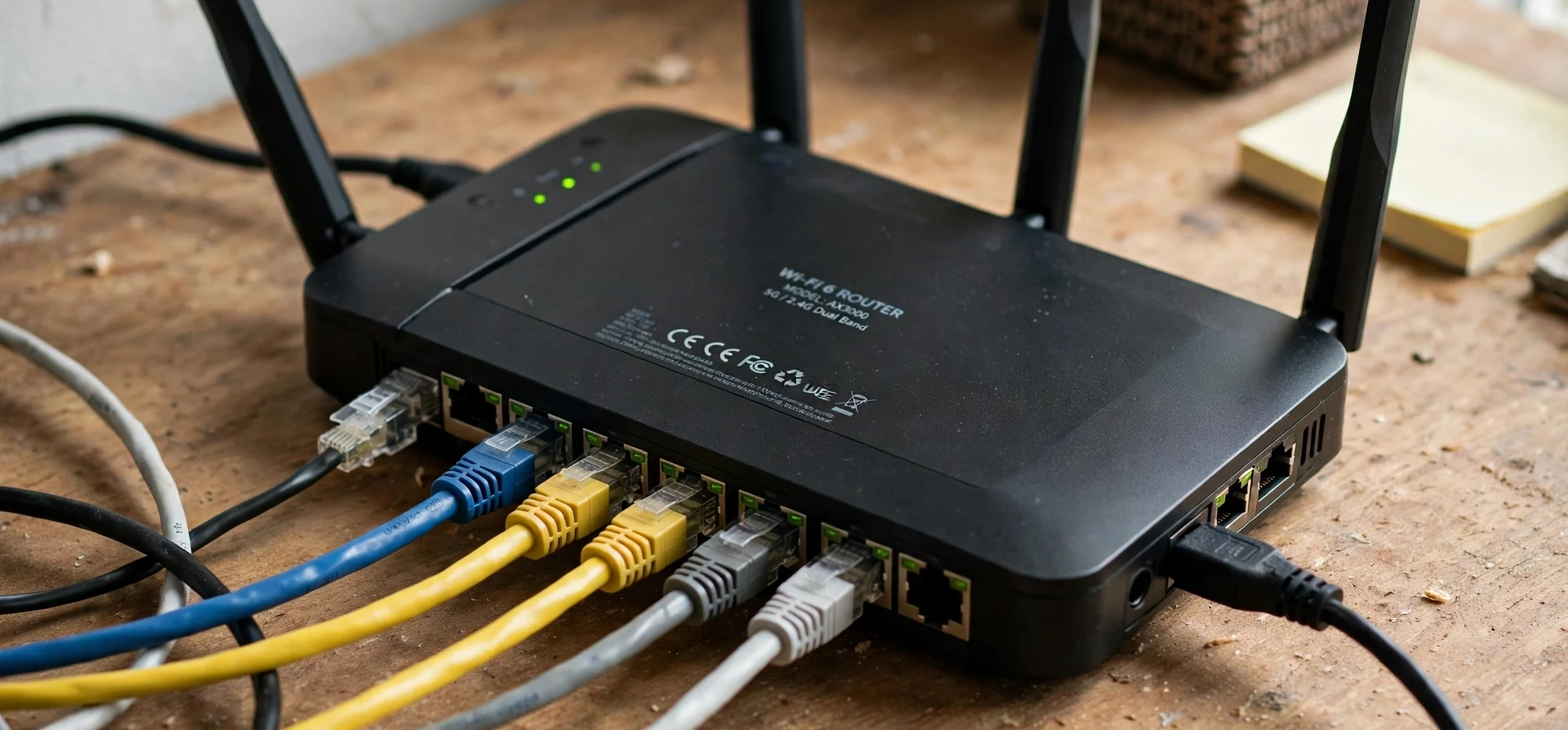
Home and small-office networks run on private addresses, and the most familiar of them is the Class C private address range. If you have ever looked at your own device’s network settings and seen an address beginning with 192.168, you have seen a Class C private address in action. Many people arrive at this topic through a slightly different search, and it is worth clearing up the confusion honestly: the related search term “class c public ip address” is often typed by people who actually mean the private range used inside their own home network, because the two ideas sound similar but describe very different things. A Class C private address works only inside your own local network, while a public address is the one your network presents to the wider internet. This guide explains the Class C private address range, how it works in your own network, and how it differs from a public address, with guidance limited strictly to your own devices and your own network.
Understanding this distinction matters for practical reasons. Private addresses let dozens of devices in a home share a single internet connection without conflicting with each other, and they keep your internal devices from being directly reachable from the internet. Public addresses, by contrast, are assigned by your internet provider and identify your network to the outside world. Confusing the two leads to common mistakes, such as trying to reach a home device from elsewhere using its private address, which cannot work, or sharing a private address as if it identified you online, which it does not. Searches for class c public ip address are often the first sign of that confusion. This guide keeps the focus on what you can check and manage on your own network, and it deliberately gives no instructions for obtaining anyone else’s address information.
What Is a Class C Private Address?
The original internet address classes divided the address space into Classes A, B, and C based on size. Class C was the smallest, designed for small networks with up to 254 usable device addresses. In the private address ranges set aside for local networks, the Class C private range is 192.168.0.0 through 192.168.255.255. In practice, most home routers use a small slice of that range, most commonly a network like 192.168.0.x or 192.168.1.x, and hand out addresses within it to the devices connected to them.
The key word is private. Addresses in this range are not routable on the public internet, which means internet routers will not forward traffic addressed to them across the wider web. That is by design. Your home devices use private addresses to talk to each other and to your router, and your router translates that internal traffic to its public address when it communicates with the internet, a process called network address translation. This translation is why every device in your home can share one internet connection, and why your internal layout stays hidden from outside observers.
Two related private ranges complete the picture. The Class A private range is 10.0.0.0 through 10.255.255.255, used by very large organisations and by some internet providers for their own internal networks. The Class B private range is 172.16.0.0 through 172.31.255.255, used by medium-sized networks. Home users almost never need to choose between these ranges, because the router’s default range works fine, but knowing they exist helps when you encounter a 10.x address on a work network or a 172.16.x address on a larger setup. All three ranges follow the same rule: private inside, translated at the boundary, never used as a public identity.
Class C Public IP Address Searches and the Private Range
Searches for “class c public ip address” are common, and they usually come from one of three misunderstandings, all of which are easy to clear up. The first is the belief that a home network’s addresses are public because they appear in the device’s settings. They are not. The address your phone or laptop shows for its own connection is almost always a private address assigned by your router, and it tells an outsider nothing about your public identity. The second misunderstanding is the idea of a “Class C” public address as a product you can buy for a home network. Internet providers assign public addresses from their own pools, and the old class system does not determine what public address you receive. The third is confusion between address classes and subnet sizes in modern networking, where classless notation has largely replaced the old class labels for public addressing.
The honest way to frame it is this: the related search term “class c public ip address” points to a real curiosity about how addresses work, but the useful answer for a home user is about the private range, not about a public Class C block. If you want to know your own network’s public address, for example to configure a service that needs it, your router’s status page or your provider’s account tools will show it, and that is a matter for your own network only. Do not confuse it with a class c public ip address search result, which usually describes the private range instead. If you want to understand the addresses your devices use day to day, the Class C private range is the answer, and the rest of this guide stays with that topic.
This distinction also protects your privacy. A private address such as one in the 192.168 range is the same in millions of homes, so it cannot identify you or your household. Your public address is different: it is specific to your connection, which is why you should treat it with more care and never post it publicly or share it in forums when asking for help. When troubleshooting, describe the problem and the private range your router uses, not your public address, and you will get useful help without exposing connection details.
How Class C Private Addresses Work in Your Home
When a device joins your home network, it needs an address so the router can deliver traffic to it. In most homes, this happens automatically through a service called DHCP, which runs on the router. The router keeps a pool of private addresses, for example the range from 192.168.1.2 to 192.168.1.254, and lends one to each device as it connects. The router itself usually takes the first address in the range, such as 192.168.1.1, and acts as the gateway through which all internal traffic reaches the internet.
Most devices also keep their address for a period called a lease, and renew it automatically. That lease has nothing to do with a class c public ip address, since the address is private to your network. That is why your laptop often keeps the same private address for days or weeks, even though the address is technically temporary. If two devices somehow end up with the same address, a conflict occurs, and one or both will lose connectivity until the conflict is resolved, usually by restarting the affected device or the router so that fresh addresses are handed out. Address conflicts are rare on modern routers, but they are the classic symptom to recognise when a device suddenly cannot connect while everything else works fine.
You can also assign a fixed, or static, private address to a device on your own network, which is useful for a home server, a network printer, or a device you want to reach reliably by address. To do this safely, pick an address inside your router’s private range but outside its automatic pool, so the router will not lend the same address to another device. Your router’s own settings pages, reached from a device already on your network, will show both the range and the pool, and its help pages will explain the exact steps for your model. Only ever change settings on a router you own or administer; never attempt to change settings on someone else’s network. Remember that a class c public ip address query never justifies touching a network that is not yours.
Checking Your Own Private Address
Checking your own device’s private address is simple, and it is the only kind of address lookup this guide covers. On a Windows computer, open the network settings and look at the connection details for your current network, where the private address is listed. On a Mac, the same information appears in the network settings for your active connection. On a phone, open the Wi-Fi settings, tap the connected network, and the device’s private address is shown among the network details. On Linux, the network settings or the terminal’s address display for your own interfaces will show it. These steps all inspect your own device, which is entirely different from seeking information about anyone else’s device or connection.
Your router’s administration pages show the bigger picture of your own network: which devices are connected, which private addresses they hold, and what range the router is using. To view them, you connect a device you own to your own network and sign in with your router’s administrator credentials, which are usually printed on the router or set when the network was first configured. If you have forgotten those credentials, the router manufacturer’s own support pages explain the reset process for your model. Do not use default credentials permanently; changing them to a strong password you control is one of the simplest security improvements a home network can have.
For readers who want to understand how devices display their own address information in more depth, this guide to finding your own IP address on Linux walks through the own-device case, and this guide to finding a printer’s address on your own network covers a common home-network task. Both stay firmly on the own-network side of the line, which is where all safe address checking belongs.
Class C Public IP Address Myths and Privacy
Several myths surround the related search term “class c public ip address”, and clearing them up helps you avoid wasted effort and risky behaviour. The first myth is that knowing a private address lets someone reach your devices from the internet. It does not, because private addresses are not routable publicly, and your router’s translation layer stands between the internet and your internal devices. The second myth is that changing your private address hides your online activity. It does not, because your public address, which is what websites and services see, is unaffected by your internal numbering. The third myth is that a private address is a secret that must never be mentioned. In fact, private addresses are standardised and shared by millions of networks, so mentioning that your router uses the 192.168.1 range reveals nothing personal.
What does deserve care is your public address and any information that could identify your connection or your household. Treat your public address the way you would treat your home’s location: useful to your provider and to services you deliberately configure, but not something to publish. That is a further reason to be sceptical of any class c public ip address page that asks for personal details. The same caution applies to other people’s information. Seeking, sharing, or publishing another person’s address details without their consent is both a privacy violation and, in many contexts, a breach of the terms of the services involved. This guide gives no method for doing so, and any source that offers one should be treated with suspicion.
Privacy rules also affect how you think about address data generally. An address that identifies a connection can count as personal data in some privacy frameworks, which is why responsible guides discuss addresses in terms of your own network and general principles rather than specific third parties. For a broader discussion of how address information is treated, see this article on whether an IP address counts as personal information. The short version is that context matters: your own private range is generic, while connection-identifying details deserve restraint.
Troubleshooting Your Own Class C Network
Most home-network problems with private addresses have simple fixes. If a single device cannot connect while others can, restart that device first, which forces it to request a fresh address. If several devices fail at once, restart the router, which restarts its address service and clears stale leases. If a device keeps receiving the same conflicting address, check that no device on your network has a manually set static address inside the router’s automatic pool, and move any static address outside the pool. If a new device cannot obtain an address at all, check that the router’s pool has not run out, which can happen on a network with many smart-home gadgets, and expand the pool within the private range if your router allows it.
Subnet masks are the other concept that confuses home users. A typical home network uses the mask 255.255.255.0, which means the first three numbers of the address identify the network and the last number identifies the device. That is the modern expression of the old Class C idea: 254 usable device addresses on one small network. You rarely need to change the mask on a home network, and changing it without understanding it can break connectivity, so leave it at the router’s default unless you have a specific reason and a clear guide from the router’s manufacturer.
Finally, remember that private addresses are a local convenience, not a security system. They hide your internal layout, but real security comes from a strong router password, up-to-date router firmware, a sensibly chosen Wi-Fi password, and keeping your devices updated. A private address range does not protect a device with a weak password or outdated software, and no address trick replaces those basics. Get the fundamentals right, and the Class C private range will quietly do its job in the background, as it was designed to do, without any need to chase a class c public ip address listing.
| Private range | Old class label | Typical use |
|---|---|---|
| 10.0.0.0 to 10.255.255.255 | Class A | Very large organisations and provider internal networks |
| 172.16.0.0 to 172.31.255.255 | Class B | Medium-sized organisations |
| 192.168.0.0 to 192.168.255.255 | Class C | Homes and small offices; most home routers use part of this range |
Frequently Asked Questions
Is 192.168.1.1 my public address?
No. It is a private address, usually your router’s address inside your own network. Your public address is assigned by your internet provider and is different from every private address on your network. It is not a class c public ip address, and it does not identify your connection to the outside world.
Can someone reach my computer using its 192.168 address?
No. Private addresses are not routable on the public internet, so that address only works inside your own network. Remote access to a home device requires a deliberate setup through your router and provider, not merely knowledge of a private address.
Why do so many homes use the same 192.168 range?
Because private ranges are designed to be reused. Every home network is a separate local space, so the same private addresses can safely appear in millions of homes without conflict, since routers translate them at the network boundary.
Should I change my router’s private range?
Usually there is no need. The default range works well for a home. Change it only for a specific reason, such as avoiding a clash when connecting two networks, and follow your router manufacturer’s own instructions.
Does a private address identify me online?
No. A private address identifies a device only within its own local network. Websites and online services see your network’s public address, which is why public addresses deserve more care than private ones.
Conclusion
The Class C private address range, 192.168.0.0 through 192.168.255.255, is the quiet workhorse of home networking: it gives every device in your home an address, lets them share one internet connection through your router, and keeps your internal layout hidden from the wider internet. The related search term “class c public ip address” often leads people here by mistake, but the mistake is a useful one, because it highlights the key lesson of this guide: private and public addresses are different things, and the addresses you see on your own devices are private ones. Check them on your own devices, manage them through your own router, keep your router credentials strong, and treat connection-identifying details with care. With those habits, your home network will stay both convenient and private, exactly as the private range was designed to keep it.



