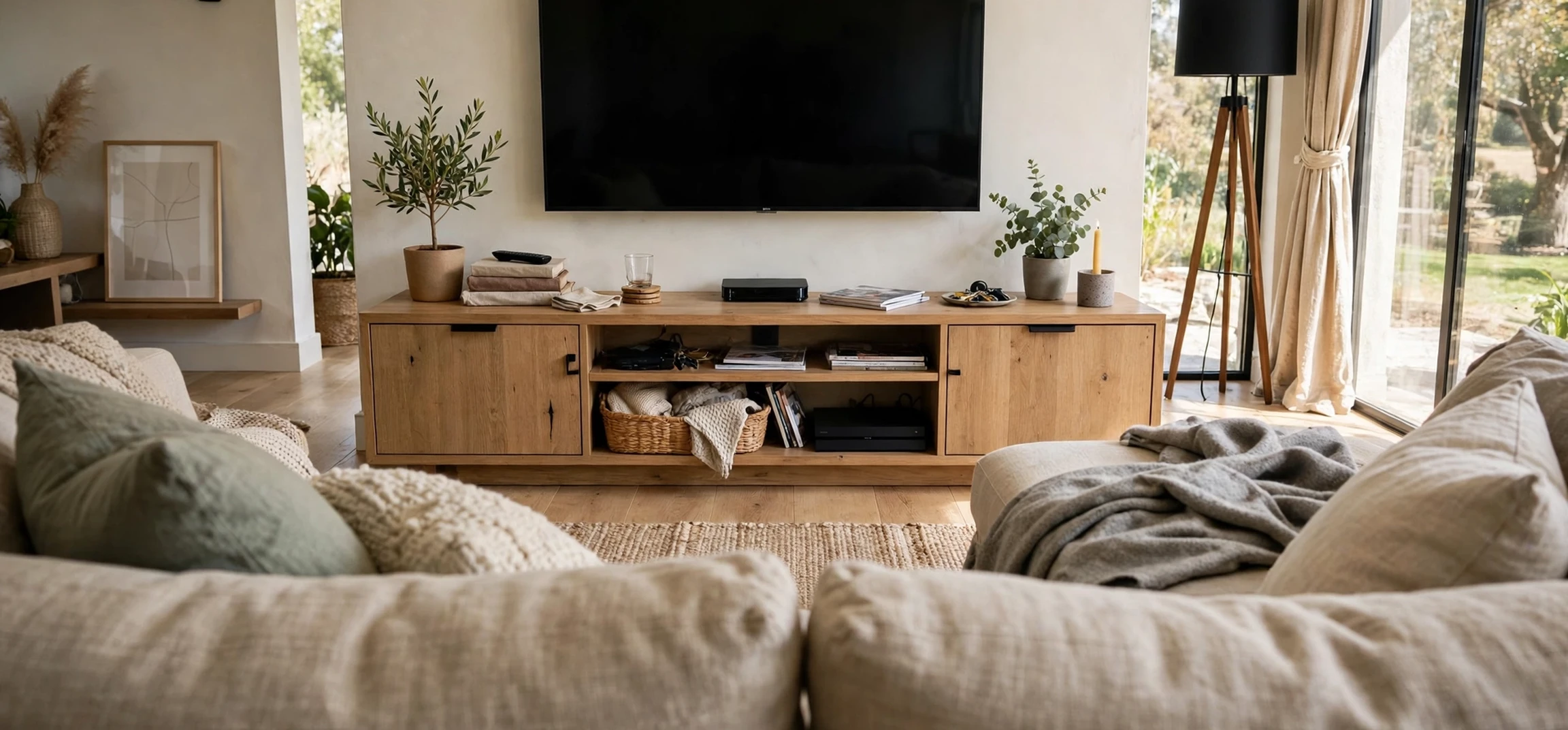
Choosing the ideal tv viewing height makes a real difference to comfort. A television mounted too high forces your neck upwards for hours, while one placed too low can cause you to hunch, strain your eyes, or see glare from lights and windows. The goal is simple: when you sit in your normal viewing position, your eyes should rest naturally near the centre of the screen, or slightly above it, without tilting your head up or down for long periods.
There is no single measurement that suits every room, because seating height, screen size, viewing distance, and room layout all vary. This guide explains the principles behind comfortable placement, gives practical methods for finding your own height, covers wall mounting and stand placement, and looks at special cases such as bedrooms, rooms with fireplaces, and homes with children. Use it as a starting point, then test the position in your own room before fixing anything permanently.
What “ideal tv viewing height” Means in Practice
The phrase ideal tv viewing height is best understood as a range, not a fixed number. Ergonomic guidance commonly suggests that the centre of the screen should sit at, or just below, eye level when you are seated in your usual position. For many adults sitting on a sofa, seated eye level falls roughly between ninety and one hundred and ten centimetres from the floor, but that varies with sofa height, cushion softness, and the height of the person watching.
A useful rule is to aim for a relaxed gaze. When you look straight ahead, your eyes naturally rest slightly downwards, not perfectly level. That is why many guides suggest the centre of the screen at eye level, or a little below, rather than above. If you find yourself tilting your chin up to see the top of the screen, the television is too high. If you are looking sharply down, it is too low. Small adjustments, even a few centimetres, can make a long viewing session noticeably more comfortable.
Screen size matters because a larger screen has a taller centre-to-edge distance. On a very large television, the top of the screen will inevitably sit higher than on a small one, even when the centre is at eye level. That is normal, provided the centre remains comfortable and you are not craning your neck to follow action at the top of the picture. Viewing distance also matters: sitting further back reduces the angle your eyes must travel across the screen, which can make a slightly high or low position feel more forgiving.
How to Measure Your Ideal TV Viewing Height
Start by sitting where you normally watch television, in your usual posture, not perched upright for the sake of measuring. Ask someone to measure from the floor to the level of your eyes, or mark the wall at eye level with a small piece of tape. That mark is your reference point. The centre of your television screen should sit close to that mark, ideally at the mark or a few centimetres below it.
Next, measure your television. Find the height of the screen itself, and the height of the whole television including any stand or frame if you are placing it on furniture. If you are wall mounting, you need the distance from the centre of the screen to the mounting holes on the back, known as the VESA mount position, because the bracket will not necessarily sit at the centre. Your bracket instructions will show how to calculate the bracket height from the desired screen centre.
A practical test is worth more than any formula. Before drilling, hold the television, or a cardboard cut-out of the same size, at the proposed height and sit back to watch for a few minutes. Check whether your neck feels relaxed, whether you can see the whole screen without moving your head, and whether glare from windows or lamps falls across the picture. Testing at different times of day is helpful, because sunlight changes direction and glare that is absent in the morning may appear in the afternoon.
| Seating situation | Centre-of-screen starting point | Notes |
|---|---|---|
| Standard sofa, upright sitting | At seated eye level, or slightly below | Best general starting point for living rooms |
| Deep, low sofa or recliner | Slightly lower, matching relaxed eye level | Reclining lowers eye level, so lower the screen |
| Bedroom, watching from bed | Higher than sofa height, angled slightly down | Test while lying in your normal sleeping position |
| Kitchen or standing viewing | At standing eye level | Only for short, casual viewing, not long films |
Wall Mounting at the Ideal TV Viewing Height
Wall mounting gives a clean look and frees up furniture space, but it also makes mistakes harder to correct. Measure twice, mark the bracket position, and check the wall type before drilling. Solid brick, concrete, and timber stud walls each need different fixings, and plasterboard alone may not support a heavy television without proper anchors or a stud. If you are unsure, a professional installer can assess the wall and the weight of the set.
Choose a mount that suits your needs. A fixed mount holds the television flat against the wall and works well when the viewing position is directly in front. A tilting mount allows a small downward angle, which helps if the television must sit slightly higher than ideal, for example above a low cabinet. A full-motion mount allows the screen to be pulled out, swivelled, and angled, which is useful in open-plan rooms or corners, but it needs more clearance and a stronger fixing.
When mounting, think about cables. Plan where power and media cables will run, and whether you need a cable channel, a socket behind the television, or a media unit below to hide devices. Leaving a small gap behind the set for ventilation is also important. Televisions generate heat, and blocking vents can shorten their life. Follow the manufacturer guidance for clearance and for the maximum weight and size your mount can support.
Mounting Above Furniture
If the television sits above a media unit or cabinet, the height of that furniture sets a minimum. A low, wide unit usually allows a comfortable screen height. A tall cabinet may push the screen too high, in which case a tilting mount or a different piece of furniture may be a better solution. As a check, the bottom of the screen should not force you to look up sharply. If it does, reconsider the furniture rather than accepting neck strain.
The Fireplace Problem
Mounting above a fireplace is popular because it centres the room, but it often places the screen well above comfortable eye level. That can cause neck ache during long viewing sessions. If a fireplace mount is the only option, a tilting mount, a pull-down mount that lowers the screen when in use, or a separate viewing position may help. Heat from the fireplace is another concern: check the manufacturer guidance for safe distances, and avoid placing a television where it is exposed to direct, sustained heat.
Placing a Television on a Stand
On a stand, height is determined by the furniture plus the television own stand. Measure the total height from the floor to the centre of the screen once the set is on the unit. If that centre sits well above your seated eye level, the unit is too tall for comfortable viewing, and a lower unit is usually the simplest fix. If it sits well below eye level, a higher unit, or a small riser designed for televisions, can help, provided the set remains stable.
Stability matters as much as height. A television should sit fully on the stand, with no overhang at the front, back, or sides beyond the manufacturer guidance. In homes with children or pets, consider anti-tip straps or fixings that secure the set to the wall or furniture. Those safety devices do not affect viewing height, but they prevent a serious accident if the set is bumped or climbed on.
Viewing distance deserves attention too. As a rough guide, sitting too close to a large screen can make the picture feel overwhelming and can reveal individual pixels on lower-resolution content, while sitting very far away can make small on-screen text hard to read. A comfortable distance is usually several times the screen height, but personal preference, eyesight, and room layout all play a role. Test the distance in your room, rather than treating any single rule as absolute.
Special Rooms and Viewers
In a bedroom, viewing is usually done lying down or propped up on pillows, which changes eye level completely. Sit or lie in your normal position, mark eye level on the wall, and use that as the centre reference. A slight upward tilt or a tilting mount can help when the screen is higher than a living room set, but avoid an extreme angle that forces your neck into an awkward position for a whole film.
For children, the same principle applies: the centre of the screen should be near their seated eye level when they are the main viewers, for example in a playroom. In a shared family room, adult eye level is usually the compromise, and children can sit on cushions or in higher seating if needed. For viewers who use a wheelchair or who recline for medical reasons, eye level in that specific seated position is the correct reference, not a standard sofa measurement.
Glare and lighting also affect perceived comfort. Position the screen so windows are to the side rather than directly behind the viewer or directly behind the screen, where reflections are worst. Curtains, blinds, and dimmable lamps give you control over light levels in the evening. A screen that is at the right height but covered in reflections will still cause eye strain, so treat lighting as part of the placement decision.
Frequently Asked Questions
Should the centre or the top of the screen be at eye level?
Most ergonomic guidance points to the centre of the screen at, or slightly below, seated eye level. Placing the top at eye level usually pushes the centre too low and forces a downward gaze.
How do I know if my television is too high?
If you tilt your chin up, feel tension at the back of your neck after watching, or need to move your head to follow the top of the picture, the screen is probably too high. Lowering it by even a small amount often helps.
Does viewing distance change the ideal height?
Distance does not change eye level, but sitting further back makes a slightly high or low screen feel more forgiving, because the angle to the edges of the picture is smaller.
Is bedroom height different?
Yes. Watching from bed raises the viewing angle, so the screen centre is usually higher than in a living room. Test the height while lying in your normal position, not while standing.
Conclusion
The ideal tv viewing height is the height that lets you watch with a relaxed neck, a natural gaze, and a clear view of the whole picture. Start with your seated eye level, place the centre of the screen at or slightly below that mark, and test the position before fixing it permanently. Consider screen size, viewing distance, glare, and the needs of everyone who uses the room, and be cautious about high placements above fireplaces or tall furniture. A few careful measurements and a short test viewing session will save hours of discomfort later. For more home entertainment guidance, see our overview of Apple TV movies and our guide to ABC Family television series, which cover what to watch once your screen is comfortably placed.