When people search for dram components, they are often looking for two different ideas at once: the memory hardware inside computers and other devices, and the way the word DRAM appears in finance and business discussions. That double meaning can be confusing, especially because the same four letters are used in technology guides, product specifications, and investment education. This guide explains dram components in plain language, separates the hardware meaning from the finance meaning, and helps you understand what each part does, why it matters, and what questions are worth asking before you buy a device or read a market report. You do not need an engineering background to follow it, and you do not need to take any financial action after reading it.
At its simplest, DRAM stands for dynamic random-access memory. It is a type of computer memory that holds data a device is actively using, so the processor can reach that data quickly. When you open an application, load a document, play a game, or switch between browser tabs, DRAM is one of the reasons the device can respond without constantly reloading everything from slower storage. The word dynamic matters here: unlike some other forms of memory, DRAM cells need to be refreshed regularly to keep their information. That refresh process is part of the design, and it is one reason engineers think carefully about power use, speed, and capacity when they design dram components for phones, laptops, servers, and many other products.
The finance meaning is different. In finance education, people may talk about DRAM in connection with companies that design or manufacture memory, or with holdings that include such companies. A holding is simply something held in a portfolio, such as shares in a company, and a stock holding is not the same thing as a piece of hardware. This article keeps those two ideas apart. It explains the hardware first, then explains how the finance language works in general terms, and it finishes with practical, non-financial guidance for readers, students, and shoppers. Nothing here is investment advice, and no current market figure is presented as fact.
What Are DRAM Components?
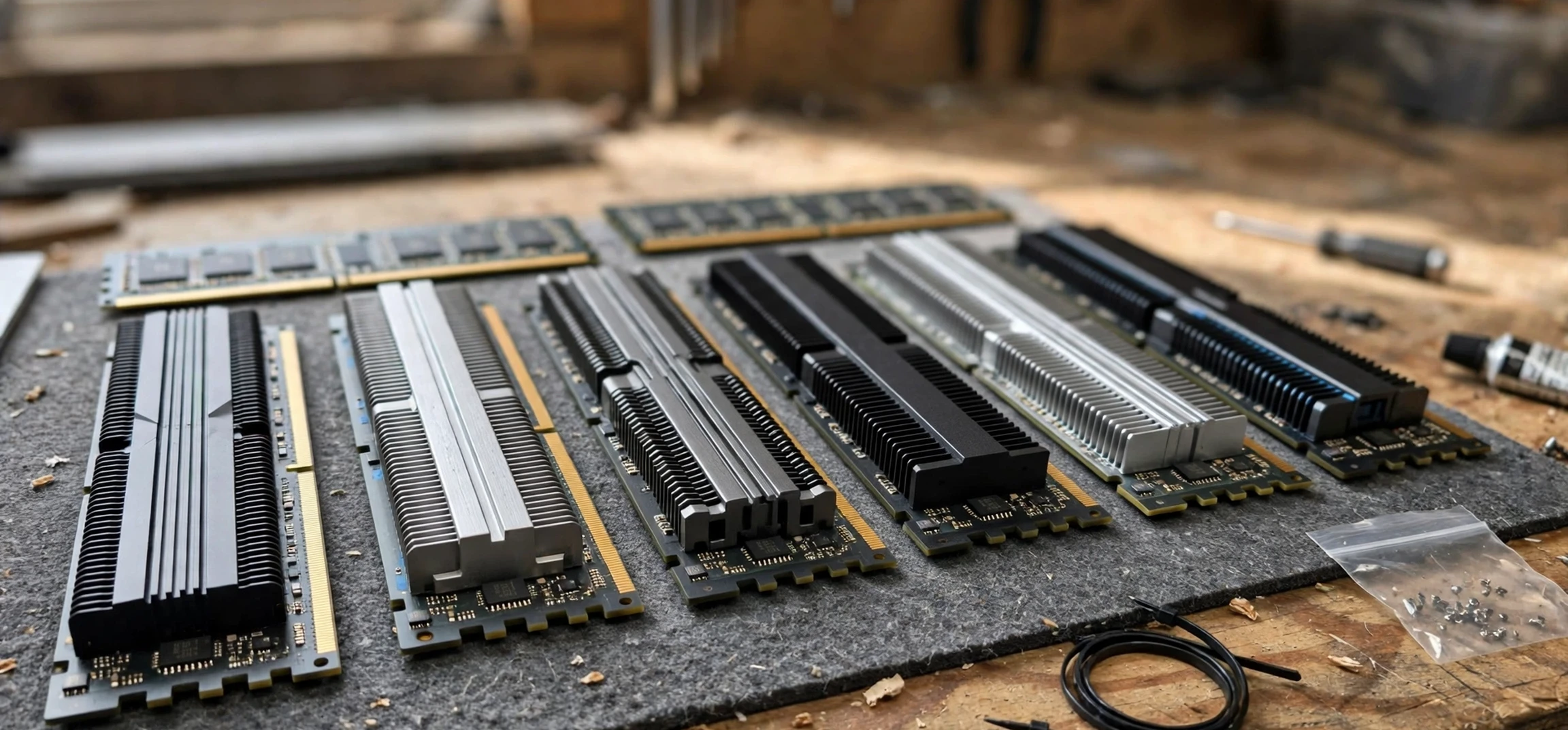
DRAM components are the physical and logical parts that together provide dynamic random-access memory in a device. The best-known example is a memory module, the small circuit board that plugs into a computer motherboard and carries several memory chips. Each chip contains a vast array of tiny cells, and each cell stores a small piece of data using a capacitor and a transistor. The capacitor holds an electrical charge, while the transistor acts like a switch that controls access to that charge. Because the charge fades over time, the memory controller refreshes the cells at regular intervals, which is why the memory is described as dynamic.
Beyond the chips themselves, dram components include the memory controller, which manages reading, writing, and refreshing; the interface that connects memory to the processor; and the supporting circuitry that supplies power and keeps signals clean and stable. In a laptop or desktop computer, you may see these components as a removable module. In a phone, tablet, or smart television, the memory may be soldered directly to the main board or packaged closely with the processor to save space. The form changes, but the job of dram components stays the same: to provide fast, temporary working space for data the device needs right now.
It helps to compare DRAM with storage. Storage, such as a solid-state drive or a hard drive, keeps files even when the power is off. DRAM, by contrast, is volatile, which means its contents are lost when the power is switched off. That is not a flaw; it is a trade-off. Volatile memory can be made fast and responsive for active work, while storage is designed for long-term keeping. When you save a document, the device moves a copy from memory to storage. When you reopen it later, the device loads a copy back into memory. Understanding that partnership makes many everyday computer behaviours easier to explain, including why a device can feel slow when too many programmes are open at once.
DRAM Components in Everyday Devices
DRAM components appear in far more places than desktop computers. A modern phone uses DRAM to keep applications ready, to handle photographs, and to support smooth scrolling and multitasking. A games console uses it to hold game worlds, textures, and instructions that must be reached in fractions of a second. A smart television uses it to run its interface and streaming applications. Even cars, routers, cameras, and many household appliances now include memory, because they run software that needs a place to work. In each case, the amount and speed of memory affect how responsive the device feels, although memory is only one part of overall performance.
Capacity is the amount of data memory can hold at once. Speed is how quickly data can move in and out. Latency describes the delay before data starts to arrive. Power use matters too, especially in battery-powered devices, because refreshing memory and moving data both consume energy. Manufacturers of dram components balance these factors against cost, heat, and physical size. A device designed for basic browsing and messaging does not need the same memory configuration as a workstation used for video editing or scientific modelling, and a server that serves many users at once has different priorities again. When shoppers compare devices, it is therefore useful to look at memory as part of a whole system, rather than treating one number as a complete measure of quality.
Another point worth noting is that dram components are often described by generation and standard, such as successive versions of the widely used DDR family. Each generation tends to bring changes in speed, voltage, and efficiency, but newer is not automatically better for every older device. Memory modules are designed for particular slots and standards, and mixing incompatible types can cause a device to fail to start or to run unreliably. If you are upgrading a computer, check the device manual or the manufacturer’s official specification page for the supported type, capacity, and configuration. That simple check saves more trouble than any general rule of thumb.
Types of DRAM Components Explained
There are several common ways to describe DRAM, and the labels can overlap. One distinction is between synchronous DRAM, which works in step with the system clock, and older asynchronous designs that are now largely historical. Another distinction is between the module formats used in different devices. Desktop computers commonly use longer modules, while laptops use shorter modules designed for tighter spaces. Servers may use modules with additional error-checking features, because reliability matters even more when many people depend on one machine. These are all dram components, but they are shaped and specified for different jobs — a reminder that dram components cover a family of parts, not a single product.
Specialised forms of DRAM are also used in graphics cards and other accelerators. Graphics memory needs very high bandwidth, because it moves large amounts of visual data quickly. That is why graphics products often use memory tuned for that purpose, even though the underlying idea remains similar: fast, temporary storage for data in active use. In mobile devices, low-power variants are common, because they reduce energy use when the device is idle or lightly loaded. Again, the trade-offs are deliberate. A memory design that is excellent for a phone battery may not be ideal for a high-performance workstation, and vice versa.
| DRAM component or idea | What it does | Why it matters to the reader |
|---|---|---|
| Memory cell | Stores a small piece of data using a capacitor and transistor | The basic building block of all DRAM |
| Memory chip | Groups many cells into a single package | Determines much of the capacity of a module |
| Memory module | Carries chips on a board that fits a device slot | The part most computer owners actually handle |
| Memory controller | Manages reading, writing, and refreshing | Keeps data organised and available on time |
| Low-power DRAM | Reduces energy use in mobile devices | Helps battery life in phones and tablets |
| Error-checking memory | Detects and, in many cases, corrects errors | Supports reliability in servers and workstations |
The table above is a starting point, not a shopping list. If you are learning about computers, use it to recognise terms in specifications and reviews. If you are buying or upgrading, use the device manufacturer’s guidance for your exact model. Terms alone do not tell you whether a particular module will work in your machine, and specifications from different sellers can use similar words in slightly different ways.
DRAM Components and Finance Language
So why does the same term appear in finance discussions? The answer is that memory is also a business. Companies design, manufacture, and sell dram components, and other companies buy them to build phones, computers, servers, and vehicles. Investors, analysts, and students may therefore discuss the memory industry, its supply chains, and its cycles, just as they discuss other industries. When someone mentions stock holdings in this context, they are usually talking about shares or other interests held in companies connected with that industry, not about owning a memory chip itself.
It is important to keep the language precise. Owning shares in a company does not mean owning its factories, products, or inventory. A holding is a financial interest, and its value can rise or fall for many reasons, including company results, wider market conditions, changes in demand, and developments in technology. Memory demand itself can be cyclical, because device makers may order more memory when they expect strong sales and less when they expect weaker sales. That cycle is often discussed in general business education about dram components, but a general discussion is not a prediction, and it is not a recommendation to buy or sell anything.
Readers who encounter DRAM in a finance article should therefore ask a few clarifying questions. Is the article talking about hardware, about a company, or about an industry trend? Does it distinguish between a product and a share? Does it present a figure as current, historical, or illustrative? And does it explain its source? Those questions help separate useful education from hype. For general learning, reputable textbooks, university resources, and official company reports are better starting points than social media posts that promise quick results. If a claim sounds certain about the future, treat that certainty itself as a warning sign.
DRAM Components: A Buying and Learning Guide
For most readers, the practical question is simpler than the finance discussion: how much memory does my device need, and can I upgrade it? Start with how you actually use the device. Light use, such as browsing, email, documents, and video calls, places modest demands on memory. Heavier use, such as editing large photographs or video, running virtual machines, or working with large datasets, places much larger demands on it. If your device regularly slows down when several programmes are open, memory pressure may be one cause, but it is not the only possible cause. Storage speed, processor performance, background software, and even a full drive can also affect responsiveness.
Before upgrading, check three things: whether your device allows memory upgrades at all, which memory standard it supports, and the maximum capacity it accepts. Many modern thin laptops and phones do not allow user upgrades, because memory is soldered in place. In those cases, choosing the right configuration at purchase time matters more. For desktop computers and some laptops, upgrades are straightforward, but you should still follow the manufacturer’s guide, handle components carefully to avoid static damage, and keep the old modules until you have confirmed the new ones work. If you are unsure, a reputable local repair service can advise on compatibility without any need to guess.
Students and curious readers can learn a great deal by comparing a device specification with what they observe in use. Open a system information tool, note the installed memory, and watch how usage changes as you open and close programmes. That hands-on approach makes abstract terms concrete. It also shows why dram components cannot be judged by capacity alone: a device with generous memory but slow storage or an overloaded processor may still feel sluggish, while a well-balanced device can feel fast with more modest memory. Balance, not a single headline number, is the real lesson.
For further general reading on this site, see our guide to stock market tools and how they are described, our explainer on company stock symbols and what they mean, and our overview of large technology companies and their headquarters. Those articles use the same plain-language approach and keep hardware, business, and finance ideas in their proper places.
Frequently Asked Questions About DRAM Components
Are DRAM components the same as storage?
No. DRAM is fast, temporary working memory that loses its contents when power is off. Storage keeps files for the long term. Devices need both, and they work together: storage holds your files, while DRAM holds the data your device is actively using.
Can I upgrade DRAM components in any device?
Not always. Some desktops and laptops accept upgrades, while many phones and thin laptops have memory soldered in place. Always check the manufacturer’s specification for your exact model before buying a module, and confirm the supported standard and maximum capacity.
Does more DRAM always make a device faster?
Not necessarily. More memory helps when memory is the limiting factor, for example when many programmes are open. If the processor, storage, or software is the bottleneck, adding memory may make little difference. Overall balance matters more than any single specification.
What does a stock holding have to do with DRAM?
In finance language, a holding is a financial interest, such as shares in a company. People may discuss holdings in companies connected with the memory industry, but that is a different idea from the hardware itself. This guide is educational only and does not offer investment advice.
Why is DRAM called dynamic?
It is called dynamic because its cells must be refreshed regularly to retain their charge and therefore their data. That refresh process is built into the memory controller and happens automatically while the device is running.
Conclusion
DRAM components are best understood as a team: tiny cells that store data, chips that group those cells, modules that carry them, and controllers that keep everything refreshed and organised. Together, they give devices the fast working space they need for everyday tasks, from browsing and messaging to gaming and professional work. The finance use of the same term is a separate idea, describing interests in companies connected with memory rather than the hardware itself, and it should never be confused with a buying recommendation. If you remember the distinction between memory and storage, check compatibility before any upgrade, and judge dram components as part of a balanced system rather than by one number, you will be well equipped to read specifications, understand news stories, and make sensible choices. That clarity is the real value of understanding dram components — not a shortcut to a purchase or an investment, but a steadier way to think about the technology we use every day.



