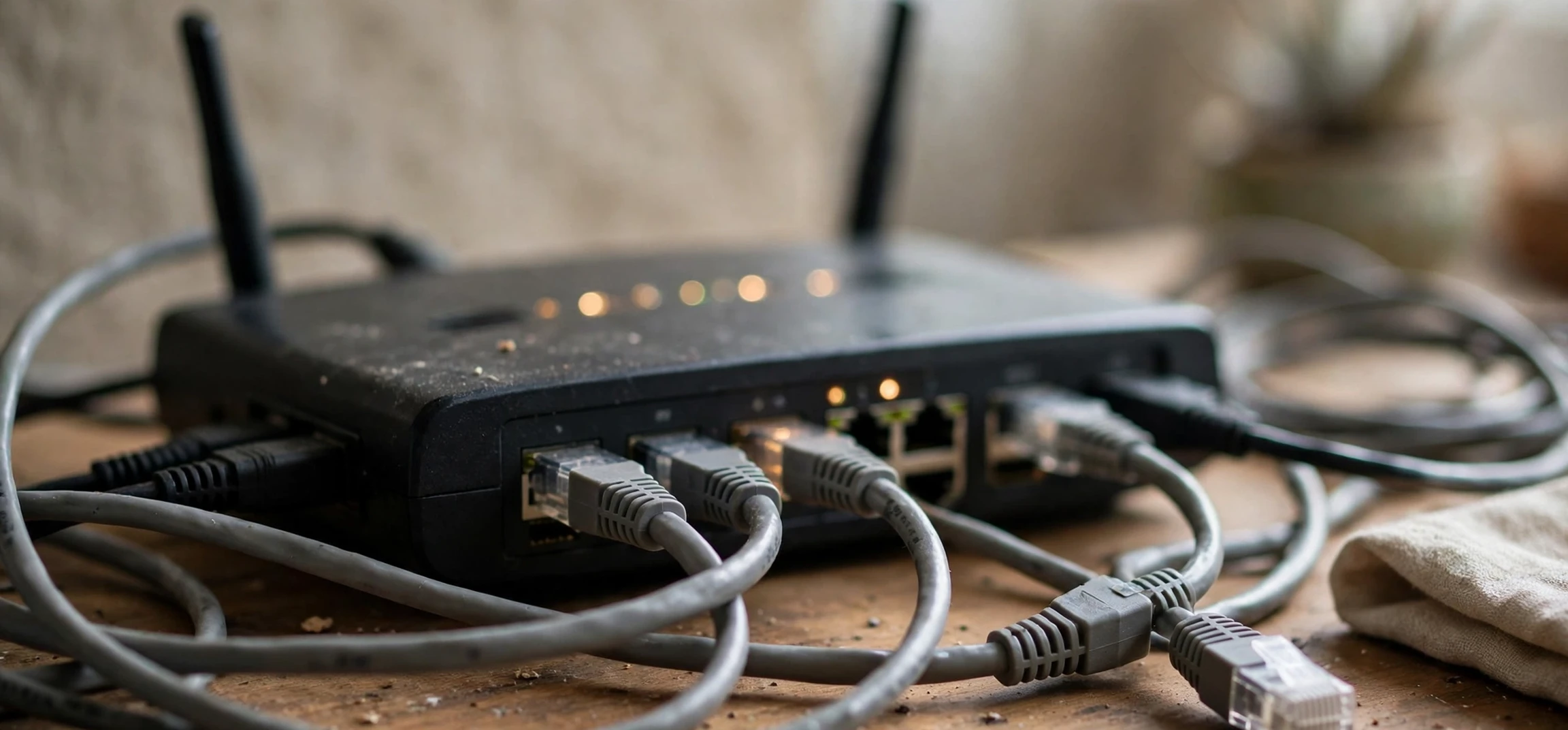
Understanding ip address categories is one of the most useful foundations for anyone learning how home and office networks work. Every device on a network needs an address so that data can find its way to the right destination, and those addresses are organised into categories that were designed when the internet was much smaller than it is today. This guide explains the classic ip address categories, the ranges that belong to each class, and how those categories relate to the private addresses used inside your own home. It is written for your own devices and your own network only: it explains how to understand the address your own computer, phone, or router is using, and it does not cover identifying or tracing any other person.
An Internet Protocol address, usually shortened to IP address, is a numerical label assigned to a device on a network. The older and still widely used version, IPv4, uses four numbers separated by dots, for example 192.168.1.10, with each number ranging from 0 to 255. That gives a little over four billion possible addresses, which seemed generous in the early days of networking but is now a scarce resource. The classic class system was an early attempt to divide that address space sensibly between very large networks, medium networks, and small networks, and although modern networking uses more flexible methods, the class names and ranges are still taught, still appear in documentation, and still help beginners make sense of the addresses they see on their own devices.
IP Address Categories: What the Classic Classes Mean
The classic system divides IPv4 addresses into five classes, labelled A to E, based on the value of the first number in the address. The first number determines the class, and the class in turn determines how many networks and how many hosts, meaning individual devices, can exist within that range. Class A was designed for a small number of very large networks, each capable of holding millions of devices. Class B was designed for medium-sized networks, such as large organisations and universities. Class C was designed for small networks, such as a small business or, in modern terms, a home network. Classes D and E were reserved for special purposes rather than ordinary device addressing. Understanding ip address categories therefore starts with that first number, because it tells you immediately which category an address belongs to.
Each class also divides the address into a network part and a host part. In Class A, the first number identifies the network and the remaining three numbers identify devices on that network. In Class B, the first two numbers identify the network and the last two identify devices. In Class C, the first three numbers identify the network and the final number identifies devices. That division is why a Class A network can hold so many devices and a Class C network holds at most 254 usable device addresses: the more numbers reserved for the network, the fewer remain for devices, and vice versa. The default subnet mask for each class reflects the same division, with 255.0.0.0 for Class A, 255.255.0.0 for Class B, and 255.255.255.0 for Class C.
IP Address Categories: The Ranges for Classes A to E
Class A covers first numbers from 1 to 126, giving a range from 1.0.0.0 to 126.255.255.255. The address 127 is reserved for loopback, which is how a device refers to itself for testing, and it is not used for ordinary network addressing. Class B covers first numbers from 128 to 191, giving a range from 128.0.0.0 to 191.255.255.255. Class C covers first numbers from 192 to 223, giving a range from 192.0.0.0 to 223.255.255.255. These three classes, A, B, and C, are the unicast classes, meaning they are used for ordinary one-to-one communication between devices, and they are the classes most learners need to recognise when reading about ip address categories.
Class D covers first numbers from 224 to 239, giving a range from 224.0.0.0 to 239.255.255.255, and it is reserved for multicast, where one sender transmits to a group of interested receivers at once, such as in some video distribution systems. Class E covers first numbers from 240 to 255, giving a range from 240.0.0.0 to 255.255.255.255, and it is reserved for experimental and future use. You will rarely, if ever, see a Class D or Class E address assigned to an ordinary device on your own network, and if you do see one in a home setting, it is likely a configuration error or a special-purpose setting rather than a normal device address.
| Class | First number range | Full range | Default subnet mask | Typical use |
|---|---|---|---|---|
| A | 1 to 126 | 1.0.0.0 to 126.255.255.255 | 255.0.0.0 | Very large networks |
| B | 128 to 191 | 128.0.0.0 to 191.255.255.255 | 255.255.0.0 | Medium networks |
| C | 192 to 223 | 192.0.0.0 to 223.255.255.255 | 255.255.255.0 | Small networks |
| D | 224 to 239 | 224.0.0.0 to 239.255.255.255 | Not applicable | Multicast groups |
| E | 240 to 255 | 240.0.0.0 to 255.255.255.255 | Not applicable | Experimental and reserved |
IP Address Categories: Private Addresses on Your Own Network
Inside your own home, you will almost always see a private address, and private addresses are a separate concept from the classic classes, although the two ideas overlap. Three ranges are reserved for private use, meaning they can be reused inside many different homes and offices without conflicting on the public internet: 10.0.0.0 to 10.255.255.255, 172.16.0.0 to 172.31.255.255, and 192.168.0.0 to 192.168.255.255. Your router assigns addresses from one of those ranges to your own devices, typically from the 192.168 range in a home setting. When your device communicates with the wider internet, your router translates that private address into your public address, a process known as network address translation. That translation is one reason a single home can have many devices online while using only one public address.
Recognising a private address is reassuring: if your own phone shows 192.168.1.24, for example, that is a normal private address on your own local network, and it is not visible as a device address to the wider internet. It also explains why two friends in different homes can both have a device at 192.168.1.10 without any conflict: private addresses only need to be unique inside each local network. The ip address categories framework helps here too, because the 10 range sits inside Class A, the 172.16 range sits inside Class B, and the 192.168 range sits inside Class C, which is why older documentation sometimes describes private addressing in class terms.
Finding Your Own Device Address
Checking the address of your own device is straightforward and safe. On a computer, the network settings panel shows the address assigned to your own connection, together with the subnet mask and the router address, often called the gateway. On a phone, the Wi-Fi settings for your current network show the same details for your own device. On a router, the administration page for your own network, reached through your own gateway address, lists the devices currently connected to your own network, which is useful for spotting an unfamiliar device on your own Wi-Fi. Use those details only for your own network: do not attempt to use them to identify, locate, or contact any other person, since an IP address on its own does not reliably identify a person and any such attempt would be intrusive.
For step-by-step help with your own devices, see our guides on finding the IP address of your own Mac and the command to find your own IP address in Linux. Both focus on your own machine, which is the only device whose address you need for ordinary home networking tasks such as setting up a printer, checking a connection, or configuring your own router.
IP Address Categories: Subnetting and Why Classes Were Replaced
The class system was simple, but it was also wasteful. A Class A network offered over sixteen million device addresses, far more than most organisations needed, while a Class C network offered only 254, too few for a growing organisation. An organisation that needed, say, a thousand addresses had to choose between a wasteful Class A allocation and several Class C allocations, neither of which was ideal. The solution was subnetting, and later classless addressing, which allow a network to be divided into smaller subnets of almost any size, and allow address space to be allocated in blocks that match actual need. Modern networks therefore use classless notation, such as 192.168.1.0/24, where the number after the slash states how many bits identify the network.
Classless addressing does not make the classic ip address categories irrelevant. The ranges are still used to describe address space, examination syllabuses still test them, and many network engineers still use class language informally when describing a network’s size. What has changed is that the class of an address no longer dictates its subnet mask: the mask is now stated explicitly, and a network can be subnetted or combined regardless of its original class. If you are learning networking, learn the classes first for orientation, then learn subnetting and classless notation as the practical tools you will actually use when configuring a real network.
IP Address Categories: Special Addresses Worth Recognising
A few special addresses appear frequently on home networks and are worth recognising. The loopback address 127.0.0.1 refers to your own device itself, and it is used for testing software without involving a network. The address 0.0.0.0 is used as a placeholder meaning no specific address, or all addresses, depending on context. The broadcast address for a network, for example 192.168.1.255 on a typical home network, sends a message to every device on that local network at once. The gateway address, usually the first or last address in your local range, is your router, and it is the device that forwards traffic between your home network and the internet. Knowing these few addresses makes router settings and troubleshooting far less mysterious.
Another useful distinction is between static and dynamic addresses on your own network. Most home devices receive a dynamic address from the router, which may change when the device reconnects. A static address is set manually and stays the same, which is useful for a printer, a file server, or a device you regularly connect to from inside your own home. If you set a static address, choose one inside your own private range, outside the range your router assigns automatically, and note it down so that you do not accidentally assign the same address to two devices. An address conflict, where two devices on your own network share an address, usually shows up as intermittent connectivity, and it is fixed by changing one device back to automatic assignment.
IP Address Categories: A Brief Note on IPv6
IPv6 is the newer version of the Internet Protocol, designed to solve the address shortage that IPv4 faces. It uses much longer addresses, written in hexadecimal groups, and it provides an effectively unlimited supply. IPv6 does not use the classic A to E classes: instead, addresses are allocated in large blocks according to a different scheme, and private addressing works differently, with unique local addresses serving a similar purpose to IPv4 private ranges. Most home routers now support both IPv4 and IPv6, and your own devices may show both types of address. For everyday home use, IPv4 categories remain the more familiar framework, but it is worth knowing that IPv6 exists, since it is the long-term direction of internet addressing. For a broader look at networking terms, see our guide on another name for a network, which explains related vocabulary in plain language.
IP Address Categories: Frequently Asked Questions
Which class is my home network?
Most home networks use the private range 192.168.0.0 to 192.168.255.255, which sits inside the Class C range. Your router assigns addresses from that range to your own devices. The class label matters less than the subnet mask and the gateway address, which together define your local network.
Can two devices on my own network share an address?
No, not without causing problems. Each device on a local network needs a unique address within that network. If two devices share an address, traffic may go to the wrong device and connectivity will become unreliable. Let the router assign addresses automatically, or set static addresses carefully outside the automatic range.
Does an IP address identify a person?
Not reliably on its own. A public address usually identifies a household connection or an organisation, not an individual, and private addresses are reused inside many homes. Addresses also change over time. For that reason, and for privacy, this guide covers only your own devices and your own network, and it does not describe any method for identifying another person from an address.
Are the classic classes still used in practice?
The ranges and names are still widely taught and recognised, but modern allocation uses classless addressing, which is more flexible. Learn the classes for orientation and for examinations, then learn subnetting and classless notation for practical configuration work.
IP Address Categories: Reading Your Own Network Settings With Confidence
Once you understand ip address categories, the network settings on your own devices become much easier to read. The address itself tells you whether you are on a private range, the subnet mask tells you the size of your local network, and the gateway address tells you which device is your router. Together, those three values describe your own local network completely, and they are the values a support technician will ask for if you ever need help with a connection problem on your own network. Knowing how to find them, and what they mean in terms of ip address categories, turns a confusing settings screen into a readable summary of your own setup.
Practice by checking two devices on your own network, such as a phone and a laptop, and comparing their addresses. They should share the same network part and differ only in the final number, which is exactly what you would expect on a small home network using a Class C private range. That simple check confirms that both devices are on the same network, that your router is assigning addresses correctly, and that your understanding of ip address categories matches the reality of your own home. It is a small exercise, but it builds the confidence that makes later topics, such as subnetting and router configuration, far more approachable.
Conclusion
The classic ip address categories give a clear map of the IPv4 address space: Class A for very large networks, Class B for medium networks, Class C for small networks, and Classes D and E for multicast and experimental use. Inside your own home, private addresses from the 10, 172.16, and 192.168 ranges do the everyday work, translated by your router into a single public address for internet access. Modern classless addressing has replaced rigid class boundaries for allocation, but the class ranges remain a useful shorthand and a foundation for learning subnetting. Check your own device settings, keep your own network tidy, and you will find that the addresses on your own network, once mysterious, become straightforward and predictable.



