If you have typed who ownes into a search box while trying to find out who controls a website address, you are asking a very sensible question, and the spelling is the only part that needs a small correction. The phrase you mean is “who owns,” and when it is applied to a domain name, it asks who the registered owner of that web address is. Every website address, from the smallest personal blog to the largest online store, is registered to someone, and that registration is recorded in a system that the public can often check. This guide explains who ownes a domain name in plain language, what ownership really means in the domain world, and how you can find the owner of a domain without overstepping privacy rules or paying for information that is often free.
Understanding who ownes a domain name matters for many everyday reasons. You might want to buy a domain that is already taken, report a problem with a website, check whether a business website is genuine, or simply satisfy your curiosity about a site you visit often. In each case, the answer starts with the same idea: a domain name is rented, not bought outright, and the person or organisation listed as the registrant is the one who holds the rights to use it for a set period. That period is usually one year at a time, renewable for as long as the registrant keeps paying. If the renewal lapses, the domain can eventually become available again for someone else to register.
Who Ownes a Domain Name?
When people ask who ownes a domain name, they usually want a name, and sometimes the public record gives one. The record is called WHOIS data, and it is maintained by the registrar, which is the company through which the domain was registered. In the past, WHOIS records routinely showed the registrant’s name, organisation, and contact details. Today, privacy rules in many parts of the world mean that much of that information is hidden or replaced with the registrar’s own contact details. This change protects ordinary website owners from spam and harassment, but it also means that a search for who ownes a domain name does not always return a personal name.
It helps to separate three roles that are often confused. The registrant is the person or organisation that registered the domain and holds the right to use it. The registrar is the accredited company that sold the registration and keeps the record. The registrant contact, administrative contact, and technical contact are roles listed in the record, though privacy protection often masks all three. A website owner may also use a separate hosting company, which provides the server space where the website files live, but hosting a site is not the same as owning its domain. If you want to know who ownes a domain name, the registrant is the answer you are looking for, not the hosting company.
Who Ownes and How Domains Are Registered
Registering a domain is a straightforward process, but it involves several layers. At the top are registries, organisations that manage a particular ending such as com, org, or a country ending. Registrars sell registrations to the public on behalf of those registries, and the global system is coordinated under rules set by the Internet Corporation for Assigned Names and Numbers, known as ICANN. When you register a domain, you choose an available name, pay a fee, and provide contact details. Those details form the registration record, and your right to use the name lasts until the registration expires.
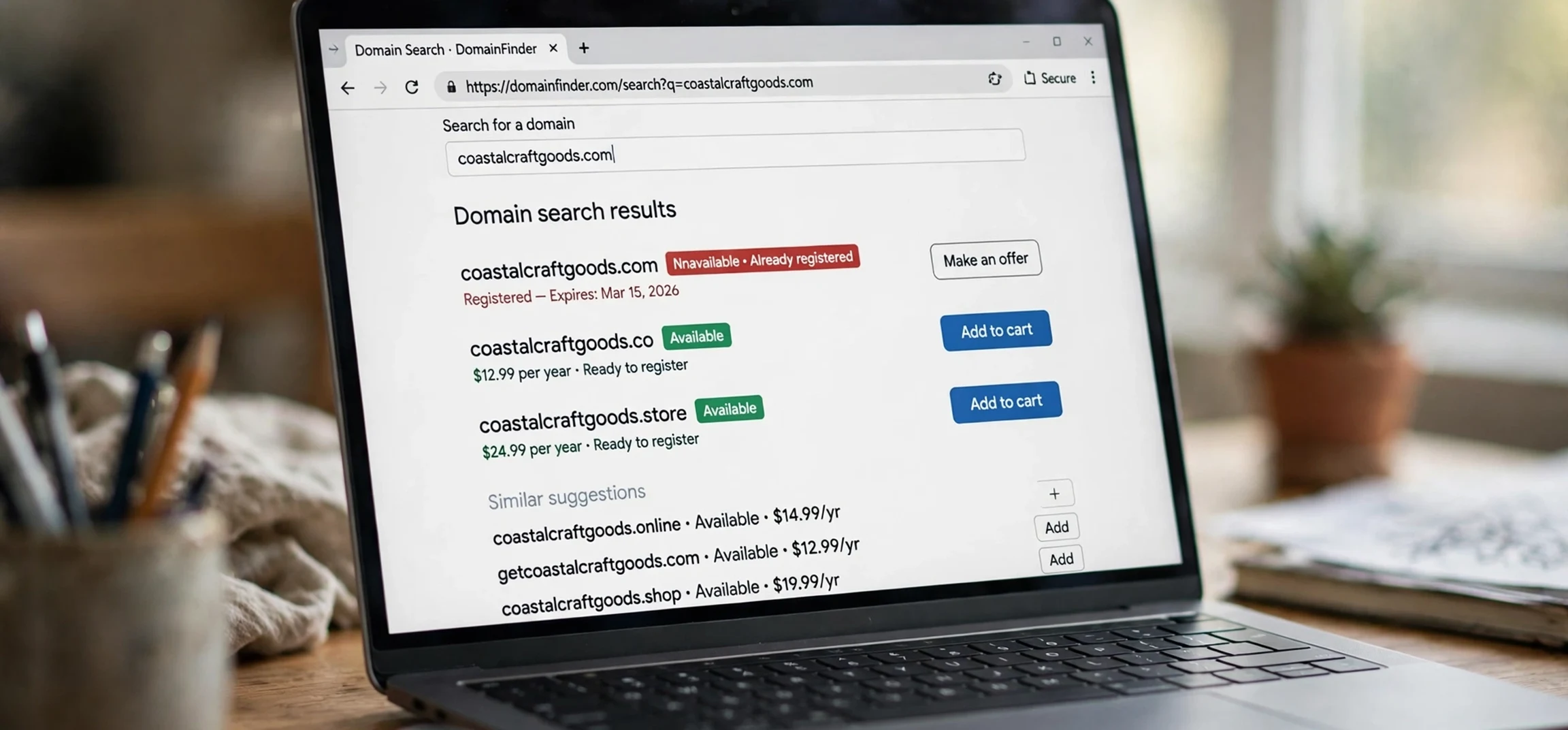
This rental model surprises many people who assume that paying once buys a domain forever. In practice, domains are more like a lease. As long as the registrant renews on time, they can keep the name for decades. If they stop renewing, the domain passes through an expiry and grace process, and it may eventually be released for anyone else to register. That is why a domain you wanted last year may suddenly become available, and why checking who ownes a domain name can be useful if you hope to buy it later. A domain that looks abandoned may simply be between owners, or it may be held by someone who is waiting for the right offer.
How to Check Who Ownes a Domain
The most common way to check ownership is a WHOIS lookup, which is offered free by many registrars and lookup tools. You type the domain name into the search box, and the tool returns whatever registration details are public. A typical result shows the registrar’s name, the date the domain was created, the date it expires, the name servers it points to, and its current status, such as active or locked. If privacy protection is switched on, the registrant’s personal details will be hidden, and you will see a privacy service or the registrar’s details instead. The creation date alone can still be useful, because it tells you how long the name has been held.
If the public record does not name the owner, there are still legitimate next steps. Many registrars offer a contact form or a broker service that passes a message to the registrant without revealing their private details. You can also check the website itself, which may have an about page or a contact page naming the business behind it, and you can look at business directories or trademark records for the organisation behind a brand name. What you should not do is pay an unofficial service that promises private personal data, because genuine ownership checks rely on public records, and private data is protected for good reason. A careful search for who ownes a domain name respects that boundary while still giving you useful, lawful answers.
Why Ownership Details Are Sometimes Hidden
Privacy protection exists because publishing personal contact details on the open internet caused real problems. Website owners, especially individuals and small businesses, received large amounts of spam, unwanted sales calls, and in some cases harassment, simply because their home address or personal email appeared in a public record. Data protection laws strengthened the case for hiding these details, and most registrars now offer privacy protection either free or for a small fee. When it is switched on, the public record shows the privacy service instead of the individual, while the registrar still holds the real details privately and can pass on legitimate legal or abuse complaints.
There are limits to this privacy. Businesses often choose to publish their company details anyway, because transparency builds trust with customers. Law enforcement agencies and lawyers can request registrant details through proper legal channels when there is a genuine dispute or investigation. Trademark owners who believe a domain infringes their brand can use a formal dispute process rather than needing the owner’s private address. So while a casual search for who ownes a domain name may not reveal a personal name, the system still has routes for serious matters, and those routes exist precisely so that everyday privacy and genuine accountability can both be protected.
Buying a Domain From Its Current Owner
If the domain you want is already registered, you have three main options. The first is to wait and watch for it to expire, though this is uncertain, because the owner may renew at the last moment. The second is to contact the owner with an offer, either directly if their details are public, or through the registrar’s contact service or a domain broker. The third is to choose a different ending or a slightly different name that is still available. Brokers can be helpful for valuable names, because they handle negotiation and use an escrow service, which holds the payment safely until the domain has actually been transferred to you.
Whatever route you choose, a few precautions are worth taking. Agree the price and the transfer process in writing before paying anything, and use a reputable escrow or marketplace service rather than sending money directly to a stranger. Check that the domain is not subject to a trademark dispute and that it has no history that could harm your plans, such as being used for spam in the past. After a purchase, transfer the domain to your own registrar account promptly and switch on renewal protection and two-factor security. Knowing who ownes a domain name is only the first step in a purchase; completing the transfer safely is what actually makes the name yours.
Domain Ownership and Trademarks
Owning a domain does not automatically give you the right to use someone else’s trademark, and owning a trademark does not automatically give you every matching domain. These are separate systems, and disputes arise when the two overlap. A well-known process for resolving conflicts is the Uniform Domain-Name Dispute-Resolution Policy, which allows a trademark owner to challenge a registration that was made in bad faith, for example to sell it back at an inflated price or to mislead customers. Panels consider whether the domain is identical or confusingly similar to the trademark, whether the registrant has any legitimate interest in it, and whether it was registered and used in bad faith.
For ordinary website owners, the practical lesson is simple. Choose a name that is distinctive and does not copy an existing brand, and keep your registration details and renewals up to date. For businesses, registering the main variants of a brand name early, including common misspellings, can prevent later disputes. A search for who ownes a domain name is often the first step a business takes before deciding whether to negotiate, file a dispute, or simply pick a different name. Taking that step early saves time and cost later, and it keeps the focus on building a brand rather than fighting over an address.
Common Questions About Domain Ownership
One question people ask is whether a website owner and a domain owner are always the same person. Usually they are, but not always. A designer or agency may have registered a domain on a client’s behalf, a company may hold domains centrally while different teams run the websites, and a domain investor may own names that point to simple holding pages. Another common question is whether you can find out who ownes a domain name for free. In most cases yes, because basic WHOIS lookups are free, though detailed history reports from commercial tools may charge a fee. A third question is what happens if the owner cannot be contacted at all, and the answer is that you may need to wait for expiry or choose another name, because there is no general right to force a sale.
It is also worth knowing that domain status codes in a WHOIS record can tell you something about the domain’s condition. A status such as client transfer prohibited simply means the owner has locked the domain to prevent unauthorised transfers, which is a normal security setting. A status mentioning a hold or a dispute may indicate a legal or billing issue. These codes do not reveal personal data, but they help you judge whether a domain is actively managed or neglected. Combined with the creation and expiry dates, they give a useful picture of the domain’s history even when the owner’s name is hidden.
| Term | What it means | Why it matters |
|---|---|---|
| Registrant | The person or organisation that registered the domain | This is the owner you are looking for |
| Registrar | The company that sold the registration | It holds the record and handles renewals |
| Registry | The organisation managing a domain ending | It runs the master database for that ending |
| WHOIS record | The public registration record for a domain | It shows dates, status, and public contacts |
| Privacy protection | A service that hides personal contact details | It explains why some owners cannot be named |
| Expiry and grace period | The window after a renewal deadline passes | It determines when a name may become free |
Who Ownes and Privacy: What Searchers Should Expect
Many people who search for who ownes a domain name are surprised the first time a lookup returns a privacy service instead of a personal name, so it is worth setting expectations clearly. A search for who ownes will usually give you the registrar, the creation date, the expiry date, and the domain status, and that is often enough to judge whether a domain is actively managed. A search for who ownes that returns hidden details is not a failed search; it is the system working as designed, protecting an individual owner while still leaving lawful routes open for genuine disputes and purchase enquiries.
If your reason for asking who ownes is a purchase, the registrar contact service is the proper next step, because it forwards your offer without exposing private data. If your reason is a complaint about content, the website contact page or the hosting provider abuse channel is usually faster than an ownership lookup. Knowing which route matches your reason saves time, and it is the practical payoff of understanding who ownes a domain name in the first place.
Frequently Asked Questions
Is “who ownes” the correct spelling?
No, the correct spelling is “who owns.” The extra letter is a common typing error, and search engines usually understand the intended question anyway. If you are writing the question yourself, use “who owns” to get the clearest results.
Can I find the owner of any domain?
You can usually find the registrar, the creation and expiry dates, and the domain’s status. You can only find a personal name when the owner has not switched on privacy protection or when the owner is a business that publishes its details openly.
Does a WHOIS lookup cost money?
Basic lookups are free through registrars and many lookup tools. You only pay if you want extra history reports or if you hire a broker to negotiate a purchase on your behalf.
What should I do if I want to buy a taken domain?
Contact the owner through the registrar’s service or a broker, agree terms in writing, and complete the transfer through a trusted escrow or marketplace so your payment is protected until the domain is in your account.
Conclusion
The question behind who ownes is a straightforward one, even if the spelling needs a tweak: who holds the registration for a domain name, and how can you find out? The answer is the registrant, recorded in the WHOIS record and managed through a registrar, with privacy protection explaining why a personal name is not always visible. By using free lookup tools, reading creation and expiry dates, and contacting owners through proper channels, you can usually get the information you need without crossing privacy boundaries. If you plan to buy a name, take the extra care of using escrow, checking trademarks, and securing the transfer, and you will turn a simple ownership question into a safe and successful purchase. For more on checking a name, see our guide on how to check who owns a domain name, our overview of looking up available domain names, and what it costs to buy a domain name.



